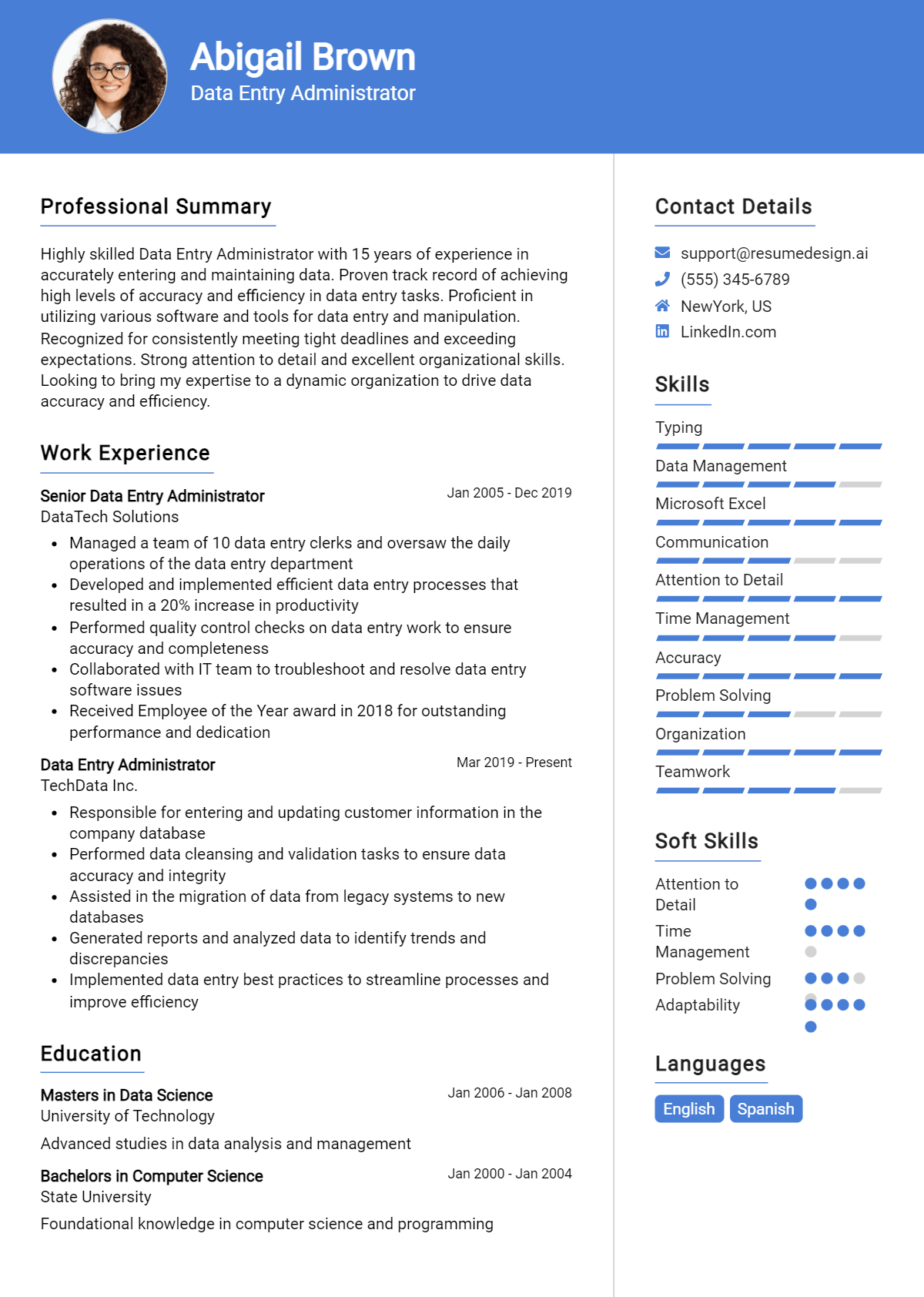
When preparing for a job interview as a Data Entry Administrator, it's essential to anticipate the kinds of questions you may be asked. This role often requires a keen eye for detail, strong organizational skills, and the ability to manage large volumes of data efficiently. Being well-prepared for your interview can help you demonstrate your qualifications and stand out to potential employers.
Here is a list of common job interview questions for a Data Entry Administrator, along with examples of the best answers. These questions cover your work history and experience, what you have to offer the employer, and your goals for the future. By practicing your responses to these inquiries, you can effectively showcase your skills and align your capabilities with the needs of the organization.
1. Can you describe your experience with data entry?
I have over three years of experience in data entry, handling large volumes of data with a focus on accuracy and efficiency. I am proficient in various software applications, which allows me to streamline processes and minimize errors during data input. Example: In my previous role, I processed over 1,000 entries daily, maintaining a 99.9% accuracy rate while implementing new software that increased efficiency by 15%.
2. How do you ensure accuracy in your data entry tasks?
I utilize a systematic approach by double-checking entries and using validation tools to catch errors early. Additionally, I take regular breaks to maintain focus and avoid fatigue, which can lead to mistakes during data input. Example: I implement a checklist for error checking and review my work against source documents, which has significantly reduced inaccuracies in my previous positions.
3. What software programs are you familiar with for data entry?
I am well-versed in Microsoft Excel, Google Sheets, and various database management systems like Access. I have also worked with specialized data entry software that allows for efficient data management and retrieval. Example: In my last job, I used Excel to create macros that automated repetitive tasks, saving the team countless hours on data entry projects.
4. How do you prioritize tasks when handling multiple data entry projects?
I prioritize tasks by assessing deadlines and project importance. I utilize organizational tools like to-do lists and digital planners to keep track of tasks, ensuring that I meet all deadlines without sacrificing accuracy. Example: By categorizing tasks based on urgency and complexity, I was able to complete a high-priority project ahead of schedule while maintaining the quality of my work.
5. Describe a time you encountered a significant error in your data entry work. How did you handle it?
I once entered incorrect data due to a misunderstanding of the format required. Upon realizing the mistake, I immediately informed my supervisor, corrected the entries, and implemented a new verification process to prevent similar errors in the future. Example: After correcting the entries, I developed a guide for the team on data formats, which helped reduce errors across the department by 20%.
6. How do you handle repetitive tasks in data entry?
I approach repetitive tasks with a positive mindset, viewing them as opportunities to improve speed and efficiency. I also take short breaks to stay focused and prevent burnout, ensuring that I maintain a high level of accuracy throughout. Example: I created a routine that incorporated regular breaks, which helped me stay engaged and ultimately reduced the time taken to complete repetitive tasks by 25%.
7. Can you explain the importance of confidentiality in data entry?
Confidentiality is crucial in data entry as it involves handling sensitive information. I adhere to privacy policies and ensure that all data is stored securely, only accessible to authorized personnel to maintain trust and comply with regulations. Example: In my previous role, I enforced strict data handling protocols, resulting in zero security breaches and safeguarding sensitive client information.
8. What steps do you take to stay organized while managing data?
I utilize digital tools and filing systems to keep my workspace organized. I categorize data logically and label files clearly, which allows for quick retrieval and efficient processing during data entry tasks. Example: By implementing a color-coded filing system, I improved my data retrieval time by 30%, allowing me to work more efficiently on multiple projects.
9. How do you ensure accuracy in your data entry tasks?
I prioritize accuracy by double-checking my work and using software tools that highlight errors. I also take regular breaks to maintain focus and reduce mistakes. This approach helps me consistently meet quality standards in data entry.
Example:
I always review my entries for errors and utilize validation tools. For instance, I once discovered a significant mistake in a large dataset by cross-referencing it with another document, ensuring the integrity of the final output.
10. What software or tools are you proficient in for data entry?
I am proficient in Microsoft Excel, Google Sheets, and various CRM systems. I also have experience with data management software like Access. Familiarity with these tools has significantly improved my efficiency and accuracy in data entry tasks.
Example:
I regularly use Microsoft Excel for data manipulation and analysis. In my previous role, I utilized pivot tables and VLOOKUP to streamline reporting processes, which saved our team considerable time.
11. How do you prioritize tasks when handling large volumes of data?
I prioritize tasks based on deadlines and the complexity of the data involved. Using a task management system helps me organize my workload efficiently, ensuring that urgent tasks are completed on time while maintaining quality.
Example:
In my last position, I created a priority matrix to manage overlapping deadlines, allowing me to focus on high-impact tasks first, which resulted in a more efficient workflow and timely project completion.
12. Describe a time when you made a mistake in your data entry work. How did you handle it?
I once entered incorrect data into a financial report. Upon realizing the error, I immediately informed my supervisor and corrected it. I then implemented a checklist to prevent similar mistakes in the future, enhancing my accuracy.
Example:
After noticing a data entry error in a report, I quickly notified my team and corrected the information. This experience taught me the importance of thorough reviews before submission and led me to develop a personal error-checking system.
13. How do you handle repetitive tasks without losing focus?
To maintain focus during repetitive tasks, I set small goals and take short breaks. I also listen to music or audiobooks, which helps keep my mind engaged and increases my productivity during long data entry sessions.
Example:
While entering data for multiple hours, I set a timer for 25 minutes of work followed by a 5-minute break. This technique, known as the Pomodoro Technique, significantly improved my focus and efficiency.
14. What steps do you take to protect sensitive data?
I adhere to company policies regarding data protection, utilize passwords for sensitive files, and ensure secure storage solutions are in place. Regular training on data privacy practices also helps me stay informed and compliant.
Example:
I always encrypt sensitive files and restrict access to authorized personnel only. For instance, in my last role, I ensured that all client data was stored securely, minimizing the risk of potential breaches.
15. Can you describe your experience with data verification processes?
I have extensive experience with data verification, including cross-referencing data against original sources and conducting spot checks. This practice ensures the information we use is accurate and reliable, which is crucial for decision-making.
Example:
In my previous job, I performed regular audits of our database by comparing entries with source documents. This proactive approach helped identify discrepancies early, maintaining data integrity throughout our systems.
16. How do you stay updated on best practices in data entry?
I stay updated by participating in webinars, following industry blogs, and engaging with online forums. Continuous learning allows me to adopt best practices and improve my efficiency and accuracy in data entry tasks.
Example:
I subscribe to several data management newsletters and regularly attend workshops. Recently, I learned about new software features that automate data entry, which I implemented in my workflow to enhance productivity.
17. Can you describe a time when you had to meet a tight deadline for data entry?
In my previous role, I was tasked with entering a large volume of data within a tight deadline. I prioritized tasks, worked overtime, and utilized keyboard shortcuts to enhance efficiency, ultimately completing the project ahead of schedule while maintaining accuracy.
Example:
I once had to complete a database update in 24 hours. By organizing my workload and focusing on critical entries, I managed to finish early and ensure no errors were present in the final submission.
18. How do you ensure accuracy in your data entry work?
To ensure accuracy, I double-check my entries against source documents and use validation tools. I also take regular breaks to maintain focus and reduce fatigue, which helps minimize errors during long data entry sessions.
Example:
I always cross-reference my entries with original documents and use software features that highlight discrepancies. This habit has significantly reduced my error rate in previous jobs.
19. What software and tools are you proficient in for data entry tasks?
I am proficient in Microsoft Excel, Google Sheets, and various database management systems like Access. I also have experience with data entry software like QuickBooks and CRM tools, which facilitate efficient data organization and retrieval.
Example:
I regularly use Excel for data analysis and reporting, along with Access for database management. Familiarity with these tools allows me to streamline data entry processes effectively.
20. How do you handle repetitive tasks in data entry?
I manage repetitive tasks by implementing techniques like setting goals, taking short breaks, and using keyboard shortcuts to enhance productivity. This approach keeps me engaged and maintains my accuracy throughout the task.
Example:
In a previous role, I created a schedule with timed breaks to keep my focus sharp. This method helped me stay efficient during repetitive data entry tasks without losing concentration.
21. Describe a challenge you faced in data entry and how you overcame it.
One challenge was dealing with inconsistent data formats from various sources. I created a standardized template that streamlined data input, ensuring consistency and reducing processing time significantly. This proactive approach improved overall data quality.
Example:
When I encountered inconsistent data formats, I developed a uniform entry system. This change not only simplified my tasks but also improved the accuracy of our records.
22. How do you prioritize your tasks during busy periods?
During busy periods, I assess deadlines and the importance of each task. I create a prioritized list, tackling urgent and high-impact entries first, while ensuring that I maintain quality throughout. This technique helps me manage my workload effectively.
Example:
I use a task management tool to prioritize my workload based on deadlines and data sensitivity. This helps me stay organized and ensure timely completion of critical tasks.
23. What steps do you take to protect sensitive data?
To protect sensitive data, I follow company protocols, including password protection, encryption, and limited access to files. I also ensure that any physical documents are securely stored and disposed of correctly, adhering to data protection policies.
Example:
I always use encryption for digital files and lock physical documents in a secure location. Following company guidelines ensures compliance and protects sensitive information.
24. Why do you think attention to detail is important in data entry?
Attention to detail is crucial in data entry because even minor errors can lead to significant consequences, such as incorrect reports or financial discrepancies. A meticulous approach ensures data integrity and reliability, which is vital for decision-making processes.
Example:
I believe that small mistakes can snowball into larger issues. By focusing on accuracy, I contribute to maintaining high-quality data that supports informed business decisions.
33. How do you prioritize your tasks when you have multiple deadlines?
I prioritize tasks by assessing their urgency and importance. I use a task management tool to list deadlines and break down larger projects into manageable steps. This helps me focus on critical tasks first while ensuring timely completion of all assignments.
Example:
I typically create a priority list at the start of each day, focusing on tasks with the nearest deadlines and highest importance, ensuring efficient time management and productivity.
34. Can you describe your experience with data management software?
I have extensive experience using various data management software, including Microsoft Excel and Google Sheets. I am proficient in data entry, manipulation, and analysis, which allows me to maintain accurate records and generate reports efficiently.
Example:
In my previous role, I utilized Excel for data entry and analysis, employing functions like VLOOKUP and pivot tables to streamline reporting and data management.
35. How do you ensure accuracy in your data entry tasks?
To ensure accuracy, I double-check my entries and use validation tools where applicable. Additionally, I maintain a systematic approach to data entry, which reduces errors and enhances overall data integrity.
Example:
Before finalizing any data entry, I perform a thorough review and cross-reference with source documents to ensure everything is accurate.
36. Describe a challenging data entry project you handled.
I once managed a project that required transferring large volumes of data from physical records to a digital format. I organized the data systematically, ensuring all entries were accurate, and completed the project ahead of schedule despite the tight deadline.
Example:
During a recent project, I digitized over 1,000 records within two weeks, implementing checks to maintain accuracy while meeting the deadline.
37. How do you handle repetitive tasks in data entry?
I approach repetitive tasks by creating a structured workflow and utilizing templates or automation tools when possible. This not only increases efficiency but also helps maintain my focus and reduces the likelihood of errors.
Example:
I often use Excel macros to automate repetitive data entry tasks, which saves time and ensures consistent results.
38. What steps do you take if you notice discrepancies in the data?
Upon noticing discrepancies, I first verify the data against the original source. If the error persists, I consult with relevant team members to clarify and resolve the issue, ensuring that all data is accurate before proceeding.
Example:
I cross-checked the data with the original files, discussed discrepancies with my team, and corrected the entries to maintain data integrity.
39. How do you stay organized while managing large amounts of data?
I maintain organization by categorizing data into folders and utilizing naming conventions that make retrieval easy. Regularly updating and backing up data also contributes to my organizational strategy.
Example:
I create a structured folder system on my computer, labeling files clearly, which allows me to quickly locate and access information as needed.
40. What do you believe is the most important skill for a Data Entry Administrator?
Attention to detail is the most critical skill for a Data Entry Administrator. It ensures data accuracy and integrity, which is vital for effective data management and reporting.
Example:
In my experience, paying close attention to detail has helped me minimize errors and maintain high-quality data throughout my work.
41. How do you prioritize tasks when you have multiple deadlines?
I prioritize tasks by assessing their urgency and importance. I create a to-do list, categorizing tasks based on deadlines and complexity. This approach helps me focus on high-priority items while ensuring timely completion of all assignments.
Example:
I typically list tasks by deadline and complexity, tackling urgent and straightforward tasks first. This strategy ensures I meet all deadlines efficiently while maintaining quality in my work.
42. Describe a time when you identified a data error. How did you handle it?
Upon noticing discrepancies in a report, I investigated the data source and identified a data entry error. I corrected the mistake and implemented a double-check system for future entries to prevent similar issues, ensuring data integrity.
Example:
I discovered an entry error in a financial report. After correcting it, I developed a verification checklist to improve data accuracy in future reports, which significantly reduced errors.
43. What software tools are you familiar with for data entry tasks?
I am proficient in Microsoft Excel, Access, and various CRM systems. I also have experience with data visualization tools like Tableau, which enhances my ability to analyze and present data effectively.
Example:
I have used Excel and Access extensively for data management, along with CRM software like Salesforce. These tools have streamlined my data entry processes significantly.
44. How do you ensure data confidentiality and security in your work?
I adhere to data protection regulations and company policies by maintaining strict access controls and regularly updating passwords. I also avoid sharing sensitive information unless necessary, ensuring confidentiality is always prioritized.
Example:
I follow strict data handling protocols, ensuring sensitive information is encrypted and stored securely. Regular training on confidentiality policies helps me stay informed and compliant.
45. Can you provide an example of how you improved a data entry process?
I noticed our data entry process was slow due to manual input. I proposed implementing automated data import tools, which reduced entry time by 30% and minimized errors, significantly increasing overall efficiency.
Example:
I introduced automated data import tools, which optimized our workflow. This change led to a 30% reduction in processing time and improved accuracy across the board.
46. How do you stay organized when handling large volumes of data?
I utilize digital tools like spreadsheets and project management software to track data entries and deadlines. Additionally, I categorize data logically and maintain a consistent naming convention to streamline access and organization.
Example:
I use project management tools to monitor my tasks and organize data sets logically. This system helps me manage large volumes effectively while ensuring quick access to information.
How Do I Prepare For A Data Entry Administrator Job Interview?
Preparing for a job interview is crucial to making a positive impression on the hiring manager. A well-prepared candidate not only demonstrates their enthusiasm for the role but also showcases their skills and readiness to contribute to the team. Here are some key preparation tips to help you excel in your Data Entry Administrator interview:
- Research the company and its values to understand its culture and mission.
- Practice answering common interview questions related to data entry and administrative tasks.
- Prepare examples that demonstrate your skills and experience relevant to the Data Entry Administrator role.
- Familiarize yourself with the software and tools commonly used in data entry, such as spreadsheets and databases.
- Review your resume thoroughly so you can discuss your experience confidently.
- Plan your attire in advance to ensure you present yourself professionally on the interview day.
- Prepare thoughtful questions to ask the interviewer to show your interest in the position and the company.
Frequently Asked Questions (FAQ) for Data Entry Administrator Job Interview
Preparing for a job interview is essential, especially for a role like Data Entry Administrator, where attention to detail is crucial. Familiarizing yourself with common interview questions can help you present your qualifications effectively and make a positive impression on potential employers.
What should I bring to a Data Entry Administrator interview?
For a Data Entry Administrator interview, it's important to bring several key items. Start with multiple copies of your resume and a list of references. Additionally, having a notebook and pen can be useful for taking notes during the interview. If applicable, consider bringing a portfolio showcasing your previous work, especially if it includes examples of data management or entry tasks. Lastly, ensure you have any required documents, such as identification or certificates, ready in case they're requested.
How should I prepare for technical questions in a Data Entry Administrator interview?
To prepare for technical questions, review the key skills and tools relevant to data entry, such as proficiency in software like Excel, database management systems, and data entry techniques. Familiarize yourself with common data entry tasks and best practices. Practicing with sample data entry scenarios or technical exercises can also be beneficial. Additionally, be ready to discuss your experience with troubleshooting data-related issues and your approach to ensuring data accuracy.
How can I best present my skills if I have little experience?
If you have limited experience, focus on highlighting your transferable skills and relevant coursework or internships. Emphasize your attention to detail, organizational skills, and ability to learn quickly. You can also discuss any volunteer work or projects where you utilized data entry or management skills. Preparing a compelling narrative about your willingness to learn and grow in the role can leave a positive impression on the interviewer.
What should I wear to a Data Entry Administrator interview?
Dressing appropriately for a Data Entry Administrator interview is important, as it reflects your professionalism. Opt for business casual attire, such as a collared shirt or blouse paired with dress pants or a skirt. Ensure your clothing is neat, clean, and comfortable, as this will help you feel confident during the interview. Avoid overly casual clothing, such as jeans or sneakers, unless you are certain the company culture allows for it.
How should I follow up after the interview?
Following up after the interview is a key step in the process. Send a thank-you email within 24 hours, expressing gratitude for the opportunity to interview and reiterating your interest in the position. In your message, reference specific points from the interview to personalize your note. This not only shows your appreciation but also reinforces your enthusiasm for the role, making you more memorable to the hiring manager.
Conclusion
In summary, the Data Entry Administrator interview guide has covered essential aspects that candidates should focus on to enhance their interview performance. Preparation is crucial, and practicing responses to both technical and behavioral questions can significantly improve a candidate’s chances of success. By showcasing relevant skills and experiences, applicants can make a strong impression on potential employers.
We encourage you to utilize the tips and examples provided in this guide to approach your interviews with confidence and poise. Remember, thorough preparation is key to standing out in the competitive job market.
For further assistance, check out these helpful resources: resume templates, resume builder, interview preparation tips, and cover letter templates.