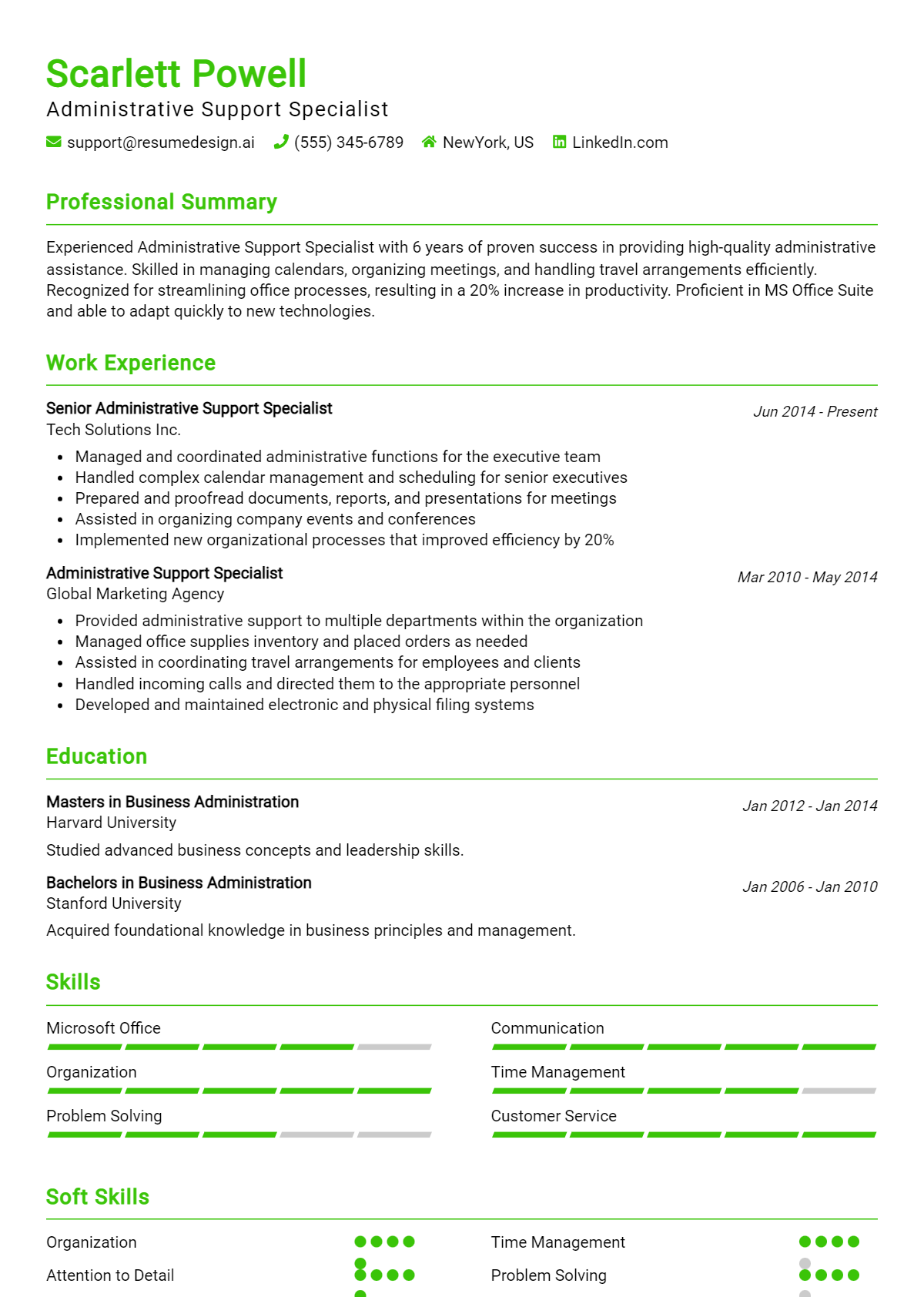
When preparing for an interview as an Administrative Support Specialist, it's essential to anticipate the questions that may arise during the conversation. This role is pivotal in ensuring smooth operations within an organization, and interviewers will be keen to assess your skills, experience, and fit for the position. Being ready with thoughtful responses can help you convey your capabilities and enthusiasm for the role effectively.
Here is a list of common job interview questions for the Administrative Support Specialist position, accompanied by examples of the best answers. These questions typically explore your work history and experience, highlighting what you bring to the table for the employer, as well as your goals for the future in this dynamic and crucial support role.
1. Can you describe your experience with administrative tasks?
I have over five years of experience managing administrative tasks like scheduling, data entry, and correspondence. I prioritize tasks effectively, ensuring that deadlines are met and operations run smoothly. My attention to detail helps minimize errors and improve efficiency.
Example:
In my previous role, I managed a busy calendar, scheduled meetings, and prepared reports, which significantly enhanced team productivity.
2. How do you handle conflicting priorities?
I assess the urgency and importance of each task, then communicate with stakeholders to align priorities. By establishing clear timelines and expectations, I can manage multiple assignments without compromising quality. Flexibility and organization are key in my approach.
Example:
When faced with conflicting deadlines, I consulted my manager and adjusted my schedule to focus on the most pressing tasks first, ensuring timely completion.
3. What software are you proficient in?
I am proficient in Microsoft Office Suite, Google Workspace, and various CRM systems. My experience includes creating spreadsheets, presentations, and managing databases. I quickly adapt to new software, enhancing my ability to support team needs efficiently.
Example:
In my last position, I used Excel to track project timelines and Google Docs for collaborative documents, improving team communication.
4. How do you ensure accuracy in your work?
I double-check my work and use checklists to ensure all details are accounted for. I also seek feedback from colleagues to identify any potential issues. This proactive approach helps maintain a high standard of accuracy in all tasks.
Example:
I implemented a review process in my last job, which reduced errors in reports by 30% within the first quarter.
5. Can you give an example of how you improved a process?
In my previous job, I streamlined the document filing system by implementing a digital solution. This reduced retrieval time and increased efficiency across the team, allowing everyone to access necessary files quickly and easily.
Example:
By digitizing our records, we reduced file retrieval times by 50%, greatly enhancing team productivity in the office.
6. Describe your communication style.
I believe in clear and concise communication. I actively listen to understand others' perspectives and tailor my approach based on the audience. This ensures effective collaboration and reduces misunderstandings.
Example:
In team meetings, I encourage open dialogue to foster collaboration and ensure everyone’s input is valued.
7. How do you handle stressful situations?
I remain calm under pressure and prioritize tasks effectively. By breaking down challenges into manageable steps, I focus on solutions instead of stress. This approach helps me maintain productivity even in high-pressure environments.
Example:
During peak seasons, I developed a prioritization system that allowed my team to navigate workload efficiently without feeling overwhelmed.
8. What motivates you in an administrative role?
I am motivated by the opportunity to support others and contribute to a team’s success. Helping to create an organized and efficient work environment drives me to excel and continually improve my skills.
Example:
Seeing my efforts lead to smoother operations and increased team morale inspires me to keep refining my administrative skills.
9. Can you describe a time when you had to manage multiple priorities? How did you handle it?
In my previous role, I often managed several deadlines simultaneously. I prioritized tasks by urgency and importance, utilizing a planner to stay organized. This approach allowed me to efficiently complete projects on time while maintaining high-quality standards.
Example:
During a busy month, I prioritized tasks using a color-coded system. This helped me focus on urgent projects first while ensuring nothing was overlooked, leading to successful completion of all assignments.
10. How do you ensure accuracy in your work?
I ensure accuracy by adopting a thorough review process. After completing tasks, I take time to double-check my work against established guidelines and use checklists to confirm all details are correct. This meticulous approach minimizes errors.
Example:
I always proofread documents multiple times and use digital tools like spell checkers. Additionally, I ask a colleague to review important reports, ensuring accuracy before submission.
11. Describe a situation where you had to handle a difficult coworker.
When faced with a difficult coworker, I focused on effective communication. I arranged a private meeting to discuss our differences, actively listened to their concerns, and found common ground. This approach fostered a collaborative environment and improved our working relationship.
Example:
I once had a coworker who was resistant to feedback. I scheduled a friendly chat, listened to their viewpoint, and collaboratively developed a solution, which turned the situation around.
12. What tools or software are you comfortable using for administrative tasks?
I am proficient in Microsoft Office Suite, including Word, Excel, and PowerPoint. Additionally, I have experience with project management tools like Asana and Trello, as well as communication platforms such as Slack, which enhance team collaboration.
Example:
I regularly use Excel for data organization and reporting, while Trello helps me track project progress efficiently. I’m also comfortable using Google Workspace for collaborative tasks.
13. How do you handle confidential information?
Handling confidential information is critical. I strictly adhere to company policies, ensuring sensitive data is only shared with authorized personnel. Additionally, I maintain secure storage practices and regularly review confidentiality procedures to stay compliant.
Example:
In my previous role, I followed a strict protocol for handling confidential documents, ensuring they were locked away and only accessible to authorized staff, safeguarding sensitive information.
14. How do you approach learning new skills or software?
I embrace continuous learning by seeking out training resources and tutorials online. I also engage with colleagues who are skilled in areas I wish to learn. This proactive approach helps me adapt quickly to new software and improve my administrative skills.
Example:
When our team adopted a new CRM, I took online courses and practiced using the software daily. This greatly improved my proficiency and confidence in using it.
15. Can you give an example of how you improved a process at work?
I identified inefficiencies in our filing system, which slowed down access to important documents. I proposed transitioning to a digital filing system, leading to quicker retrieval times and better organization, ultimately increasing team productivity.
Example:
I revamped our paper filing system by digitizing documents, which reduced retrieval time by 50% and allowed team members easier access to needed information.
16. What motivates you in your role as an Administrative Support Specialist?
I am motivated by the opportunity to support my team and contribute to the overall success of the organization. Knowing that my work helps streamline operations and enhances productivity drives me to consistently perform at my best.
Example:
Seeing my team achieve their goals because of my support inspires me. I take pride in knowing that my organizational skills help create a more efficient workplace.
17. How do you prioritize your tasks when you have multiple deadlines to meet?
I assess the urgency and importance of each task, then create a prioritized list. I use tools like calendars and task management software to stay organized and focused. Regular check-ins help ensure I’m on track to meet all deadlines.
Example:
I prioritize tasks by urgency and impact, using a planner to manage my schedule. For instance, when faced with overlapping deadlines, I completed a client report first, as it was critical for a meeting, then tackled routine administrative tasks.
18. Can you describe a time when you had to handle a difficult colleague or client?
In a previous role, I encountered a client who was upset about a delayed shipment. I listened actively to their concerns, empathized, and provided regular updates until the issue was resolved. This built trust and improved our working relationship.
Example:
I once dealt with a frustrated client over a billing error. I remained calm, listened to their concerns, and promptly arranged a correction. This approach not only resolved the issue but also strengthened our long-term relationship.
19. What software or tools do you find most useful for administrative tasks?
I frequently use Microsoft Office Suite for documentation and presentations, alongside project management tools like Asana for task tracking. I also find communication platforms like Slack and Zoom essential for maintaining team collaboration.
Example:
I rely heavily on Microsoft Excel for data analysis and reporting, while also using Google Workspace for collaborative document editing. These tools enhance my efficiency and ensure seamless teamwork.
20. How do you ensure accuracy in your work?
I double-check my work and utilize checklists to minimize errors. I also seek feedback from colleagues when necessary. Regularly reviewing procedures helps me stay updated on best practices for accuracy.
Example:
To ensure accuracy, I implement a two-step verification process for data entry and routinely cross-check my work. This method has significantly reduced errors in my previous projects.
21. Describe your experience with calendar management.
I've managed executive calendars, scheduling meetings and ensuring no conflicts arise. I prioritize appointments based on urgency and importance, sending reminders to optimize time management and productivity.
Example:
In my last position, I managed the CEO’s calendar, balancing internal and external meetings. I ensured smooth scheduling by proactively resolving conflicts and adjusting appointments as necessary.
22. How do you handle confidential information?
Handling confidential information with care is crucial. I follow company policies strictly, using secure methods for storage and communication. I also educate myself on best practices to maintain confidentiality in all interactions.
Example:
I always adhere to confidentiality protocols, ensuring sensitive documents are stored securely and shared only with authorized personnel. This practice has been essential in maintaining trust within my previous roles.
23. What strategies do you use to improve office efficiency?
I streamline processes by keeping open communication and encouraging team feedback. Implementing digital tools for task management and document sharing significantly enhances collaboration, while regular training ensures everyone is up to date on best practices.
Example:
I introduced a shared digital calendar to improve scheduling efficiency. Additionally, I organized workshops on time management, which resulted in a noticeable increase in overall productivity within our team.
24. How do you adapt to changing priorities in a fast-paced environment?
I remain flexible and open-minded when priorities shift. I quickly reassess my to-do list and communicate with my team to align on new goals. Adaptability is essential for maintaining productivity under pressure.
Example:
When project priorities changed unexpectedly, I quickly reorganized my tasks and communicated with my team to adjust our focus. This adaptability allowed us to meet new deadlines effectively.
25. How do you prioritize your tasks when faced with multiple deadlines?
I prioritize tasks by assessing their urgency and importance, often using a matrix to categorize them. I communicate with team members to ensure alignment and adjust priorities as needed. This approach helps me manage time effectively while delivering quality work on schedule. Example: I once had three projects due on the same day. I evaluated each project's impact, communicated with stakeholders, and focused on the most critical tasks first, ensuring timely completion without sacrificing quality.
26. Can you describe a time when you handled a difficult situation with a coworker?
I once had a conflict with a coworker over project responsibilities. I approached them calmly, discussed our perspectives, and collaborated to find a solution. This resolution not only improved our working relationship but also enhanced the project's overall success by fostering teamwork. Example: I initiated a meeting to address our differences. By listening actively and finding common ground, we resolved the issue, improving communication and collaboration on future tasks.
27. What software or tools do you use for administrative tasks?
I am proficient in Microsoft Office Suite, Google Workspace, and project management tools like Trello and Asana. These tools help me organize tasks, manage schedules, and collaborate effectively with team members, ensuring smooth administrative operations and timely project delivery. Example: I use Excel for data tracking, Google Docs for collaborative documents, and Trello to visualize project progress, which helps the team stay organized and focused on our goals.
28. How do you ensure confidentiality when handling sensitive information?
I adhere strictly to company policies regarding confidentiality and data protection. I limit access to sensitive information, use secure passwords, and regularly train myself on best practices for handling confidential materials to maintain trust and compliance with regulations. Example: In my previous role, I implemented a secure filing system and restricted access to sensitive documents, ensuring that only authorized personnel could view or handle confidential information.
29. Describe a time when you improved a process in your workplace.
I identified inefficiencies in our document submission process, which caused delays. I proposed and implemented a digital submission system that streamlined the workflow, reduced processing time, and enhanced overall productivity, making it easier for team members to submit and track documents. Example: After analyzing the process, I created a user-friendly online form that reduced submission errors by 40%, resulting in quicker approvals and happier team members.
30. How do you handle repetitive tasks without losing motivation?
I maintain motivation by setting small goals and rewarding myself upon completion. I also seek ways to improve efficiency through automation and regularly remind myself of the bigger picture, understanding how these tasks contribute to the team's overall success and objectives. Example: I use timers to break tasks into segments, which helps me stay focused. I also listen to music or podcasts to make repetitive work more enjoyable and engaging.
31. What steps do you take when preparing for meetings?
I prepare for meetings by reviewing the agenda, gathering relevant documents, and outlining key points to discuss. I also ensure all necessary technology is functional and communicate with participants to confirm their availability, fostering a productive and organized meeting environment. Example: Before a team meeting, I compile notes and agenda items, test the video conferencing tool, and send reminders to participants, ensuring everyone arrives prepared and on time.
32. How do you approach learning new skills or software?
I embrace new learning opportunities by setting aside dedicated time to explore tutorials and online courses. I also seek mentorship from colleagues and practice regularly to reinforce my skills. This proactive approach keeps me updated and enhances my effectiveness in my role. Example: When our team adopted a new project management tool, I enrolled in an online course, practiced using it, and collaborated with a colleague to learn best practices, quickly becoming proficient.
33. Can you describe your experience with scheduling and calendar management?
I have managed calendars for multiple executives, prioritizing appointments based on urgency and importance. I utilize scheduling software to streamline the process, ensuring that all meetings are set with adequate preparation time and necessary materials. Communication with stakeholders is key.
Example:
In my previous role, I coordinated schedules for three managers, ensuring no conflicts while maximizing their time efficiency. I developed a shared calendar system that improved visibility and communication across teams.
34. How do you prioritize tasks when faced with multiple deadlines?
I assess the urgency and importance of each task, using a prioritization matrix to allocate my time effectively. I focus on high-impact tasks first, while keeping communication open with my supervisor to adjust priorities if needed.
Example:
When I had simultaneous deadlines for reports and event planning, I listed tasks, identified priorities, and completed the high-urgency report first, ensuring I met both deadlines successfully.
35. What software or tools are you proficient in for administrative tasks?
I am proficient in Microsoft Office Suite, Google Workspace, and project management tools like Trello and Asana. These tools help me create documents, manage projects, and collaborate effectively with teams.
Example:
In my last position, I utilized Excel for data management and Google Docs for collaborative projects, enhancing productivity and ensuring everyone had access to the latest information.
36. Describe a situation where you had to handle a difficult customer or client.
I once dealt with an upset client regarding a scheduling error. I listened actively, apologized sincerely, and offered immediate solutions, which restored their trust and resolved the issue amicably.
Example:
By calmly addressing the client’s concerns and promptly rescheduling their appointment, I was able to turn their frustration into satisfaction, reinforcing our company’s commitment to customer service.
37. How do you ensure confidentiality when handling sensitive information?
I adhere to strict confidentiality protocols, ensuring that sensitive documents are stored securely and only shared with authorized personnel. I also regularly review company policies on data protection to stay compliant.
Example:
In my previous role, I handled employee records and ensured they were only accessed by HR. I regularly destroyed outdated documents as per the company’s data retention policy.
38. Can you give an example of a project you managed from start to finish?
I organized a company-wide training event, coordinating logistics, scheduling speakers, and managing registrations. I created timelines and checklists to ensure every detail was covered, resulting in a successful event that received positive feedback.
Example:
By managing the event planning process, from budgeting to executing logistics, I ensured everything ran smoothly, and the training enhanced team skills significantly.
39. How do you handle interruptions while working on a task?
I try to manage interruptions by setting specific times for checking emails and messages. When interrupted, I note where I left off and prioritize returning to the task as soon as possible to maintain productivity.
Example:
If I’m interrupted during a crucial task, I acknowledge the interruption briefly and then return to my work, ensuring I keep my focus on the priority at hand.
40. What strategies do you use for effective communication in the workplace?
I prioritize clear, concise communication, using various tools like emails, meetings, and instant messaging. I also actively listen and confirm understanding to ensure everyone is on the same page.
Example:
In team meetings, I summarize key points and actions to confirm understanding and follow up with concise emails to reinforce communication and accountability among team members.
41. How do you prioritize tasks when you have multiple deadlines to meet?
I prioritize tasks by assessing their urgency and importance. I create a daily to-do list, categorizing tasks based on deadlines and their impact on the team. This approach ensures that I focus on high-priority items first while remaining adaptable to changes. Example: I once had three projects due the same week. I listed them by deadline, tackled the most urgent first, and communicated progress to my team, which helped us meet all deadlines successfully.
42. Can you give an example of a time when you had to handle a difficult client or colleague?
In my previous role, a colleague was upset about a scheduling error. I listened actively to understand their concerns, apologized for the oversight, and proposed a solution. This approach diffused tension and strengthened our working relationship. Example: I once resolved a scheduling conflict by actively listening to my colleague's concerns, apologizing for the mistake, and providing alternatives. This not only calmed the situation but also rebuilt trust between us.
43. What tools or software are you familiar with for managing administrative tasks?
43.
I am proficient in Microsoft Office Suite, Google Workspace, and project management tools like Trello and Asana. I also have experience with CRM software and scheduling tools, which streamline communication and task management significantly. Example: I regularly use Microsoft Excel for data analysis and Google Calendar for scheduling, ensuring efficient management of tasks and effective use of team resources.
44. Describe a situation where you improved a process in your work.
In my last job, I noticed our filing system was inefficient. I proposed a digital solution that organized documents by categories and dates, reducing retrieval time by 50%. This improvement increased productivity and allowed better information sharing among team members. Example: I implemented a digital filing system that categorized documents efficiently, reducing retrieval time by 50% and boosting overall team productivity significantly.
45. How do you handle confidential information in your role?
I prioritize confidentiality by following established protocols, such as password-protecting files and restricting access to sensitive information. I regularly train myself on data protection regulations to ensure compliance and maintain trust with colleagues and clients. Example: I routinely password-protect sensitive documents and limit access only to authorized personnel, ensuring compliance with confidentiality standards and maintaining trust with all stakeholders involved.
46. What motivates you to excel in your administrative support role?
I am motivated by the opportunity to facilitate team success and contribute to organizational goals. The satisfaction of solving problems, enhancing efficiency, and supporting colleagues inspires me to continuously improve my skills and deliver high-quality results. Example: I thrive on solving challenges and enhancing team efficiency, which motivates me to excel in my role. The positive feedback I receive from colleagues reinforces my commitment to delivering high-quality administrative support.
How Do I Prepare For A Administrative Support Specialist Job Interview?
Preparing for an interview is crucial for making a positive impression on the hiring manager. The more prepared you are, the more confident you will feel, and this can significantly enhance your chances of securing the job. Here are some key preparation tips to help you shine during your Administrative Support Specialist interview:
- Research the company and its values to understand its culture and mission.
- Practice answering common interview questions specific to administrative support roles.
- Prepare examples that demonstrate your skills and experience relevant to the Administrative Support Specialist position.
- Familiarize yourself with common software and tools used in administrative support, such as Microsoft Office Suite.
- Dress appropriately for the interview to convey professionalism.
- Prepare questions to ask the interviewer about the role and the company to show your interest.
- Bring multiple copies of your resume and any other relevant documents to the interview.
Frequently Asked Questions (FAQ) for Administrative Support Specialist Job Interview
Preparing for an interview can greatly enhance your chances of success, especially when it comes to anticipating commonly asked questions. Understanding what to expect can help you present yourself more confidently and competently. Below are some frequently asked questions that candidates for an Administrative Support Specialist position may encounter, along with practical advice on how to approach them.
What should I bring to an Administrative Support Specialist interview?
When attending an interview for an Administrative Support Specialist role, it’s essential to bring several key items. Start with multiple copies of your resume, as you may meet with more than one interviewer. Additionally, include a list of references, a notebook, and a pen to take notes during the interview. If relevant, gather any work samples or portfolios that showcase your skills. Finally, consider bringing a professional-looking folder to keep everything organized, as it reflects your attention to detail.
How should I prepare for technical questions in an Administrative Support Specialist interview?
To prepare for technical questions, review the job description thoroughly and identify the specific skills and software mentioned, such as Microsoft Office Suite, data entry systems, or project management tools. Familiarize yourself with these technologies and practice any relevant tasks beforehand. Additionally, be ready to discuss how you have used these tools in past roles, as practical examples can demonstrate your proficiency. Consider researching common technical questions associated with administrative support positions to better prepare yourself.
How can I best present my skills if I have little experience?
If you have limited experience, focus on highlighting transferable skills and any relevant coursework or volunteer work. Emphasize your ability to learn quickly, your organizational skills, and your proficiency with technology. Prepare examples that illustrate your problem-solving abilities, teamwork, and communication skills, even if they come from non-professional settings. Confidence in your potential to grow in the role can also leave a positive impression on the interviewer.
What should I wear to an Administrative Support Specialist interview?
Your attire for an interview should reflect professionalism and a good understanding of the workplace culture. For an Administrative Support Specialist position, business casual is often appropriate. Consider wearing slacks or a knee-length skirt paired with a blouse or a collared shirt. Avoid overly casual clothing such as jeans or sneakers. Ensure that your outfit is clean, pressed, and appropriate for the environment, as this demonstrates respect for the opportunity and the interviewer's time.
How should I follow up after the interview?
Following up after an interview is crucial to demonstrate your continued interest in the position. Ideally, send a thank-you email within 24 hours of the interview. In your message, express gratitude for the opportunity to interview, mention specific topics discussed during the meeting, and reiterate your enthusiasm for the role. Keep the email concise and professional, and consider including any additional information that reinforces your qualifications. This simple step can help you stand out among other candidates.
Conclusion
In this interview guide for the Administrative Support Specialist role, we've covered essential strategies and insights to help candidates excel in their interviews. Preparation and practice are crucial, as they enable candidates to showcase their relevant skills effectively. Understanding both technical and behavioral questions can significantly enhance a candidate's chances of standing out in the competitive job market.
We encourage you to leverage the tips and examples provided in this guide to confidently approach your interviews. Remember, with the right preparation, you can present yourself as the ideal candidate for the role. Take the initiative, and don't hesitate to explore additional resources to support your journey.
For further assistance, check out these helpful resources: resume templates, resume builder, interview preparation tips, and cover letter templates.