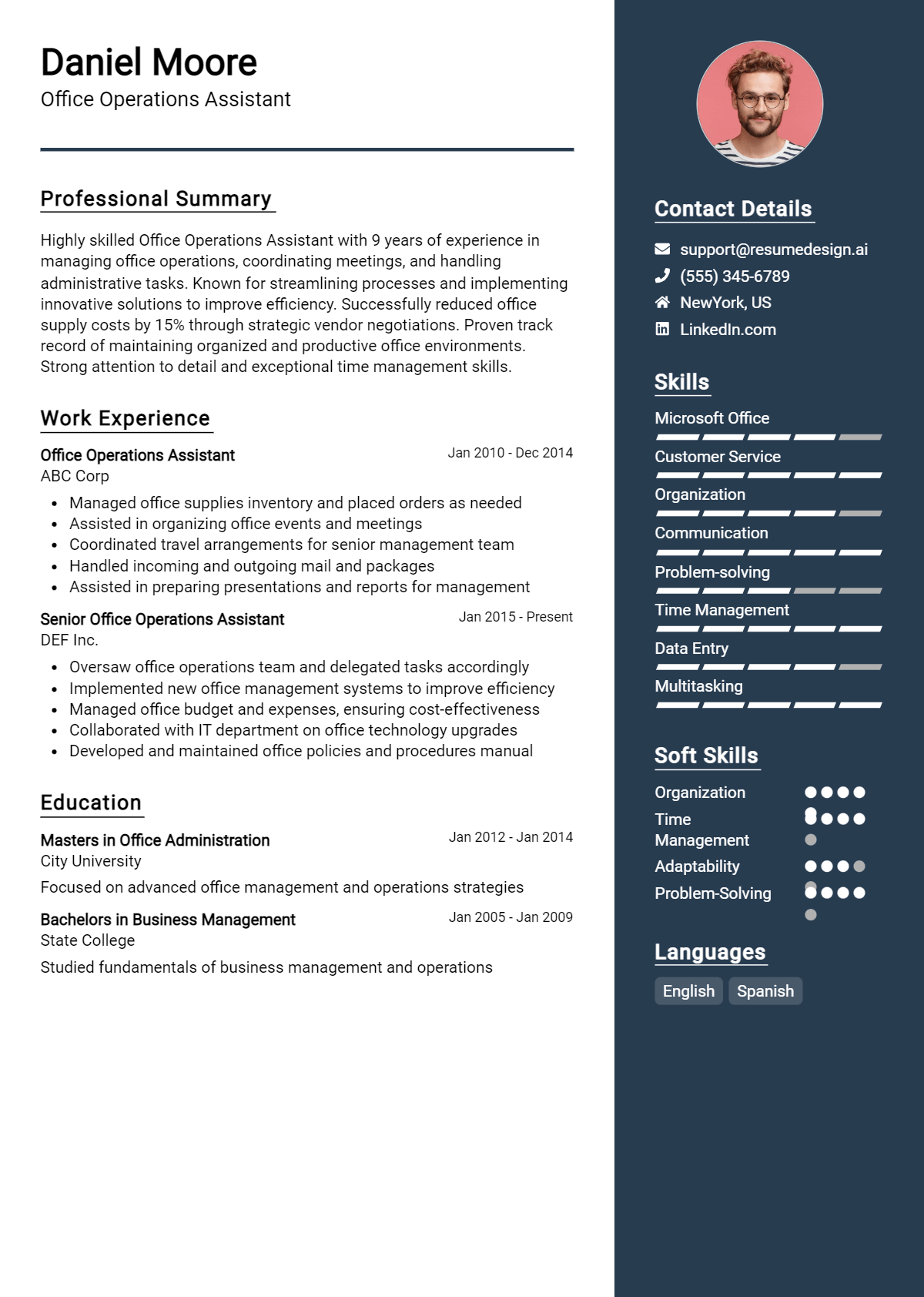
When preparing for an interview as an Office Operations Assistant, it's essential to anticipate the questions you may be asked and to formulate thoughtful responses. This role requires a blend of organizational skills, attention to detail, and the ability to multitask effectively. Understanding the types of questions interviewers typically pose can help you articulate your qualifications and demonstrate your readiness for the position.
Here is a list of common job interview questions for the Office Operations Assistant role, along with examples of the best answers. These questions cover your work history and experience, what you have to offer the employer, and your goals for the future, enabling you to showcase your skills and align your aspirations with the needs of the organization.
1. Can you describe your experience with office management software?
I have extensive experience with office management software like Microsoft Office Suite and Google Workspace. I utilize these tools for scheduling, document creation, and data management, ensuring efficient operations and effective communication within the team.
Example:
In my previous role, I used Microsoft Excel for data tracking and Google Calendar for scheduling, which helped streamline our project timelines and improve collaboration among team members.
2. How do you prioritize your tasks in a busy office environment?
I prioritize tasks by assessing deadlines and urgency, utilizing tools like to-do lists and digital planners. I focus on high-impact activities first, while remaining flexible for urgent requests that may arise throughout the day.
Example:
For instance, I start my day by reviewing my tasks, prioritizing those due soon, and adjusting as new requests come in, ensuring all critical assignments are completed on time.
3. Can you give an example of how you handled a difficult situation with a coworker?
In a previous job, a coworker and I disagreed on project priorities. I addressed it by initiating a calm discussion, listening to their perspective, and collaboratively finding a solution that aligned our goals, ultimately strengthening our working relationship.
Example:
I once resolved a conflict by scheduling a one-on-one meeting where we could openly discuss our views, leading to a better understanding and a more effective collaboration on the project.
4. What strategies do you use to ensure accuracy in your work?
To ensure accuracy, I double-check my work, use checklists, and leverage software features such as spell check and data validation. I also seek feedback from colleagues to catch any potential errors before finalizing tasks.
Example:
For example, I routinely review my reports and ask a coworker to proofread them, significantly reducing errors and enhancing overall quality.
5. How do you handle tight deadlines?
I manage tight deadlines by breaking tasks into smaller, manageable parts and setting mini-deadlines for each. This approach allows me to stay focused and ensures timely completion without compromising quality.
Example:
During a recent project, I created a timeline with specific milestones, which helped me track progress and meet the final deadline successfully.
6. What role do you think communication plays in office operations?
Communication is vital in office operations as it fosters collaboration, reduces misunderstandings, and ensures everyone is aligned on goals. I prioritize clear, concise communication through emails, meetings, and updates to maintain workflow efficiency.
Example:
In my last position, I organized weekly team meetings to discuss progress, which improved our project outcomes and team cohesion significantly.
7. How do you ensure confidentiality in your work?
I ensure confidentiality by following company policies and best practices, such as limiting access to sensitive information and securely storing documents. I am committed to maintaining trust and integrity in all aspects of my role.
Example:
For example, I always use password protection for sensitive files and avoid discussing confidential matters in public or shared spaces.
8. Why do you want to work as an Office Operations Assistant?
I am passionate about organizational efficiency and supporting teams. The role of an Office Operations Assistant aligns with my skills in administration and my desire to contribute to a positive work environment while ensuring smooth office functions.
Example:
I enjoy problem-solving and helping others succeed, making this position a perfect fit for my strengths and career goals.
9. How do you prioritize tasks when you have multiple deadlines to meet?
I prioritize tasks by assessing their urgency and importance. I create a to-do list, focusing on high-impact tasks first, and use tools like calendars to set reminders. This approach helps me stay organized and ensures timely completion of all tasks.
Example:
When faced with multiple deadlines, I categorize tasks using a priority matrix. For example, I completed a critical report due the next day before addressing routine paperwork, ensuring all urgent tasks were handled efficiently.
10. Can you describe a time when you had to deal with a difficult colleague?
I encountered a challenging colleague who often resisted collaboration. I approached them directly, seeking to understand their perspective. By fostering open communication, we resolved our differences and established a more productive working relationship, benefiting our team's overall dynamics.
Example:
In a previous role, I had a colleague who was uncooperative. I scheduled a one-on-one meeting to discuss our work styles. This led to improved collaboration and a better understanding of each other's strengths.
11. What tools or software are you proficient in that are relevant to this role?
I am proficient in Microsoft Office Suite, especially Excel and Outlook, which I use for data organization and communication. Additionally, I have experience with project management software like Trello, which helps streamline operations and enhance team collaboration.
Example:
I am skilled in Microsoft Office, particularly Excel for data analysis. I also use Trello for task management, enabling me to track project progress and deadlines effectively, ensuring smooth office operations.
12. How do you handle confidential information?
Handling confidential information requires diligence and discretion. I ensure that sensitive documents are stored securely and shared only with authorized personnel. Additionally, I follow company policies and best practices to maintain confidentiality at all times.
Example:
In my previous job, I managed confidential files by using locked storage and password protection for digital documents. I also conducted regular training sessions to ensure my team understood the importance of confidentiality.
13. Describe a process improvement you implemented in your last job.
I identified that our file retrieval process was inefficient. I proposed a digital filing system, which reduced retrieval time by 50%. This improvement not only saved time but also increased team productivity, allowing us to focus on more critical tasks.
Example:
In my last position, I streamlined our document management by transitioning to a cloud-based system. This eliminated redundancy and improved access speed, which significantly enhanced our team's workflow and efficiency.
14. How do you ensure effective communication in the office?
I promote effective communication by fostering an open environment where team members feel comfortable sharing ideas. I also utilize regular meetings and collaborative tools to keep everyone informed and aligned on projects, ensuring clarity and minimizing misunderstandings.
Example:
To enhance communication, I organized weekly updates where team members could share progress and concerns. This practice not only improved transparency but also built stronger relationships within the team.
15. What steps do you take when planning an office event?
When planning an office event, I start by defining the objectives and budget. I then create a detailed checklist, secure necessary approvals, and coordinate logistics such as venue, catering, and invitations. Communication throughout the process is key to ensuring a successful event.
Example:
For our annual team-building event, I first outlined the goals and budget. I then secured a venue, arranged catering, and sent out timely invites, ensuring everything ran smoothly on the day of the event.
16. How do you stay organized in a fast-paced environment?
I stay organized in a fast-paced environment by utilizing a combination of digital tools and time management techniques. I prioritize tasks, maintain a structured schedule, and regularly review my progress to adapt to changing demands while ensuring that nothing falls through the cracks.
Example:
In my previous role, I used a project management tool to track tasks and deadlines. I also set aside time each week to review priorities, allowing me to adjust and stay focused in a dynamic environment.
17. How do you prioritize tasks when handling multiple responsibilities?
I prioritize tasks based on deadlines and the impact on the team’s efficiency. I often create a to-do list and categorize tasks by urgency and importance, ensuring that high-priority tasks are completed first to keep operations running smoothly.
Example:
For instance, during a busy period, I list my tasks and tackle the urgent ones first, ensuring that critical deadlines are met while still addressing other responsibilities throughout the day.
18. Can you describe a time when you had to deal with a difficult colleague or client?
I once encountered a client who was unhappy with a service delay. I listened actively to their concerns, empathized with their frustration, and assured them I would resolve the issue. This approach transformed the situation into a positive outcome.
Example:
After addressing the issue, I provided regular updates, which helped rebuild trust and resulted in a satisfying resolution for both the client and our team.
19. What tools or software are you proficient in that are relevant to this role?
I am proficient in Microsoft Office Suite, particularly Excel and Word, for data management and documentation. Additionally, I have experience with project management tools like Trello and Asana, which help streamline workflows and enhance team collaboration.
Example:
Using Excel, I've created complex spreadsheets for tracking budgets, while Trello has allowed me to manage project timelines effectively, ensuring all team members are aligned on tasks.
20. How do you ensure accuracy in your work?
To ensure accuracy, I double-check my work and implement a systematic approach. I also keep detailed notes and maintain organized files, which allows me to quickly verify information and minimize errors in documentation or data entry.
Example:
For example, I routinely cross-reference data entries with source documents, which significantly reduces the likelihood of inaccuracies in reports or invoices.
21. Describe a time when you suggested improvements to office processes.
I noticed our filing system was inefficient and suggested transitioning to a digital document management system. This change greatly improved our retrieval times and reduced physical clutter, allowing the team to focus more on their core responsibilities.
Example:
Implementing this digital system saved us hours each week, demonstrating how simple adjustments can enhance overall productivity and organization.
22. How do you handle confidential information?
I treat all confidential information with utmost care. I ensure it is stored securely, limit access to authorized personnel, and follow company policies regarding data handling to maintain privacy and compliance with regulations.
Example:
In my previous role, I managed sensitive client data and ensured it was encrypted and only accessible to relevant team members, reinforcing the trust clients placed in our organization.
23. What steps do you take when planning an office event?
When planning an office event, I start by defining the purpose and budget. I then create a checklist of necessary tasks, coordinate logistics such as venue and catering, and ensure effective communication with all stakeholders to guarantee a successful event.
Example:
For instance, while organizing a team-building retreat, I managed all aspects, from venue booking to activity scheduling, resulting in a well-received event that strengthened team cohesion.
24. How do you approach learning new skills relevant to your role?
I actively seek out opportunities to learn new skills through online courses, workshops, and feedback from colleagues. Staying updated with industry trends is essential, and I often apply new skills in my daily tasks to reinforce my learning.
Example:
Recently, I completed a course on advanced Excel functions, which improved my ability to analyze data efficiently and provide valuable insights to the team.
25. How do you prioritize tasks in a busy office environment?
I prioritize tasks by assessing deadlines, importance, and urgency. I utilize tools like to-do lists and project management software to keep track of tasks and adjust priorities as needed throughout the day.
Example:
I use a priority matrix to categorize tasks by urgency and importance, focusing on critical deadlines first, while remaining flexible to adjust as new tasks arise.
26. Can you describe a time you resolved a conflict in the workplace?
I once facilitated a discussion between two colleagues with differing opinions. I listened to both sides, encouraged open communication, and helped them find common ground, resulting in a collaborative solution and improved team dynamics.
Example:
I mediated a disagreement by organizing a meeting where both parties could express their views. This approach led to an amicable resolution and strengthened their working relationship.
27. What software programs are you familiar with for office operations?
I am proficient in Microsoft Office Suite, Google Workspace, and project management tools like Trello and Asana. These programs help streamline tasks, enhance collaboration, and improve productivity within the office.
Example:
I regularly use Microsoft Excel for data analysis, Google Docs for collaborative projects, and Trello to manage team assignments effectively.
28. How do you handle sensitive information in the office?
I handle sensitive information with utmost confidentiality, following company policies and best practices. This includes secure storage, limited access, and ensuring proper disposal of documents when they are no longer needed.
Example:
I always encrypt sensitive files and restrict access to authorized personnel, ensuring compliance with data protection regulations.
29. Describe a time when you had to learn a new skill quickly.
When our office adopted new project management software, I dedicated time to online tutorials and hands-on practice. Within a week, I was proficient enough to assist colleagues and streamline our workflow.
Example:
I quickly learned how to use Slack for team communication by following online resources, enabling me to contribute effectively within a few days.
30. What strategies do you use for effective communication within a team?
I use clear, concise language and encourage open dialogue. Regular check-ins and updates help keep everyone informed. I also adapt my communication style based on team dynamics to ensure understanding.
Example:
I promote transparency through weekly meetings and encourage team members to share feedback, fostering a collaborative atmosphere.
31. How do you ensure compliance with office policies and procedures?
I ensure compliance by regularly reviewing policies, attending training sessions, and staying updated on any changes. I also remind my colleagues of procedures when necessary to maintain a compliant work environment.
Example:
I actively participate in compliance training and share key updates with the team to reinforce adherence to office policies.
32. Can you provide an example of how you improved an office process?
I identified inefficiencies in our filing system and proposed a digital solution, transitioning paper files to a cloud-based system. This streamlined access to documents and reduced retrieval time significantly.
Example:
By digitizing our filing process, I reduced document retrieval time by 30%, enhancing overall office efficiency.
33. How do you prioritize tasks when you have multiple deadlines?
I assess the urgency and importance of each task using a priority matrix. I then create a to-do list and allocate time blocks for each task, ensuring I stay focused and meet all deadlines efficiently.
Example:
When faced with multiple deadlines, I list all tasks, categorize them by urgency, and set mini-deadlines within my schedule to ensure timely completion without compromising quality.
34. Can you describe a time when you improved an office process?
In my previous role, I noticed the filing system was chaotic. I proposed and implemented a digital filing system that organized documents by category, which reduced retrieval time by 40% and increased overall efficiency.
Example:
I revamped the manual filing process by introducing a digital document management system, leading to quicker access and improved collaboration among team members, ultimately saving hours of work each week.
35. How do you handle conflicts within the office?
I approach conflicts with active listening and open communication. I encourage the involved parties to express their concerns and work towards a mutually beneficial resolution while maintaining professionalism and respect for everyone involved.
Example:
When conflicts arise, I facilitate a calm discussion between the parties, encouraging them to share their perspectives and collaboratively find a solution, fostering a positive work environment.
36. What tools or software are you proficient in that can assist with office operations?
I am proficient in Microsoft Office Suite, Google Workspace, and project management tools like Trello and Asana. These applications enhance productivity and streamline communication and task management within the office.
Example:
I frequently use Microsoft Excel for data analysis, Google Calendar for scheduling, and Asana for project management, which helps keep our team organized and focused on our goals.
37. How do you ensure confidentiality in your role?
I prioritize confidentiality by adhering to company policies regarding sensitive information. I limit access to confidential documents and ensure that discussions about sensitive topics remain private among authorized personnel only.
Example:
I handle confidential information with the utmost care, ensuring that documents are securely stored and discussing sensitive matters only in private settings to maintain trust and security.
38. Describe a situation where you had to adapt to a significant change at work.
When our company transitioned to remote work, I quickly adapted by mastering collaboration tools like Zoom and Slack, facilitating smooth communication and maintaining productivity, which helped our team adjust effectively to the new environment.
Example:
During the pandemic, I embraced remote work by learning new software for virtual meetings, ensuring continuity in operations and supporting my team through the transition.
39. How do you handle repetitive tasks to avoid burnout?
I mitigate burnout from repetitive tasks by incorporating breaks, using productivity techniques like the Pomodoro Technique, and seeking opportunities to automate or streamline these tasks for greater efficiency and job satisfaction.
Example:
To manage repetitive tasks, I break them into intervals, take short breaks, and look for automation tools to simplify my workload, maintaining my energy and focus.
40. What do you consider the most important quality for an Office Operations Assistant?
The most important quality is adaptability. As an Office Operations Assistant, the ability to respond to changing priorities, learn new systems quickly, and manage various tasks is essential for maintaining an efficient office environment.
Example:
Adaptability is crucial; it allows me to seamlessly transition between tasks and adjust to new challenges, ensuring that the office runs smoothly regardless of changes or demands.
41. Can you describe a time when you had to manage multiple tasks simultaneously? How did you prioritize?
In my previous role, I often had to manage several projects at once. I prioritized by creating a list of deadlines and importance, then focused on urgent tasks first while ensuring communication with team members. This helped maintain productivity and organization.
Example:
For instance, during a busy month, I handled scheduling meetings, processing invoices, and managing supplies by assessing deadlines and delegating tasks, ensuring all were completed on time.
42. How do you handle conflicts with team members or colleagues?
I approach conflicts with a calm demeanor, aiming for open communication. I believe in understanding both sides and finding a common ground. This often leads to a resolution that respects everyone's perspective and strengthens our working relationship.
Example:
Once, I mediated a disagreement by facilitating a meeting where both parties could express their views, leading to a collaborative solution that improved team dynamics.
43. What tools or software are you familiar with that assist in office operations?
I am proficient in Microsoft Office Suite, Google Workspace, and project management tools like Trello and Asana. These tools help streamline communication, document management, and task organization, which are essential for efficient office operations.
Example:
For example, I used Trello to track project deadlines and team responsibilities, ensuring everyone was on the same page and tasks were completed promptly.
44. Describe your experience with data entry and document management.
I have extensive experience in data entry, ensuring accuracy and attention to detail. I am skilled in organizing documents both electronically and physically, which improves accessibility and efficiency. This ensures smooth operations within the office.
Example:
In my last position, I streamlined the document management system, increasing retrieval speed by 30%, which significantly enhanced team productivity.
45. How do you ensure confidentiality and data protection in your role?
I understand the importance of confidentiality and adhere to company policies regarding data protection. I ensure sensitive information is stored securely and shared only with authorized personnel, maintaining trust and compliance with regulations.
Example:
For instance, I implemented password protection for sensitive files and conducted training sessions on data handling best practices for the team.
46. What motivates you to work as an Office Operations Assistant?
I am motivated by the opportunity to contribute to a team’s success and the dynamic nature of office operations. I enjoy problem-solving and optimizing processes, which keeps my work engaging and fulfilling.
Example:
The satisfaction of seeing improved workflows and supporting colleagues in achieving their goals inspires me to excel in this role.
How Do I Prepare For A Office Operations Assistant Job Interview?
Preparing for an interview is crucial to making a positive impression on the hiring manager. By taking the time to prepare, you can showcase your skills, demonstrate your enthusiasm for the role, and increase your chances of securing the job. Here are some key preparation tips to help you succeed:
- Research the company and its values to understand its culture and mission.
- Practice answering common interview questions specific to the Office Operations Assistant role.
- Prepare examples that demonstrate your skills and experience relevant to office operations.
- Dress professionally to convey a polished and respectful image.
- Bring multiple copies of your resume and any necessary documents to the interview.
- Formulate insightful questions to ask the interviewer about the role and the company.
- Ensure you know the interview location and plan to arrive early to avoid any last-minute stress.
Frequently Asked Questions (FAQ) for Office Operations Assistant Job Interview
Being prepared for commonly asked questions during interviews is crucial for candidates seeking the Office Operations Assistant position. Understanding what to expect can help alleviate anxiety and allow you to showcase your skills and personality effectively. Below are some frequently asked questions that you may encounter during your interview process.
What should I bring to a Office Operations Assistant interview?
When attending an Office Operations Assistant interview, it is essential to bring several key items to make a positive impression. You should have multiple copies of your resume, a list of references, and any necessary paperwork such as application forms or certifications. Additionally, consider bringing a notebook and pen to take notes during the interview and prepare questions for the interviewer. This demonstrates your professionalism and readiness for the role.
How should I prepare for technical questions in a Office Operations Assistant interview?
To prepare for technical questions in an Office Operations Assistant interview, familiarize yourself with the common software and tools used in office environments, such as Microsoft Office Suite, project management software, and communication platforms. Review the job description to identify any specific technical skills mentioned. Practice articulating how you have used these tools in previous roles or projects, and consider conducting mock interviews to build confidence in your responses.
How can I best present my skills if I have little experience?
If you have limited experience, focus on highlighting your transferable skills and any relevant coursework or volunteer experiences. Prepare examples of how you've demonstrated skills such as organization, communication, and problem-solving in other contexts, even if they weren't in a formal office setting. Additionally, emphasize your willingness to learn and adapt, which can make a strong impression on potential employers.
What should I wear to a Office Operations Assistant interview?
For an Office Operations Assistant interview, it is advisable to dress in professional business attire. This typically includes a tailored suit, dress shirt, and polished shoes for both men and women. If you're unsure about the company culture, opt for a slightly more formal outfit to convey professionalism. Avoid overly casual clothing and accessories, aiming instead for a polished and neat appearance that reflects your seriousness about the position.
How should I follow up after the interview?
Following up after the interview is an important step that demonstrates your interest in the position. Send a thank-you email within 24 hours of your interview, expressing gratitude for the opportunity to interview and reiterating your enthusiasm for the role. Mention a specific topic discussed during the interview to personalize your message. This not only shows your appreciation but also keeps you fresh in the interviewer's mind as they make their decision.
Conclusion
In this interview guide for the Office Operations Assistant role, we have covered essential topics such as the importance of thorough preparation, effective practice, and the demonstration of relevant skills during the interview process. These factors are crucial for making a positive impression on potential employers and increasing your chances of securing the position.
By preparing for both technical and behavioral questions, candidates can showcase their qualifications and adaptability, which are vital attributes for success in this role. Remember, interviews are not just about the answers you provide but also about how you convey your experience and fit for the job.
As you embark on your interview journey, take advantage of the tips and examples provided in this guide to approach your interviews with confidence. With the right preparation, you can turn your aspirations into reality!
For further assistance, check out these helpful resources: resume templates, resume builder, interview preparation tips, and cover letter templates.