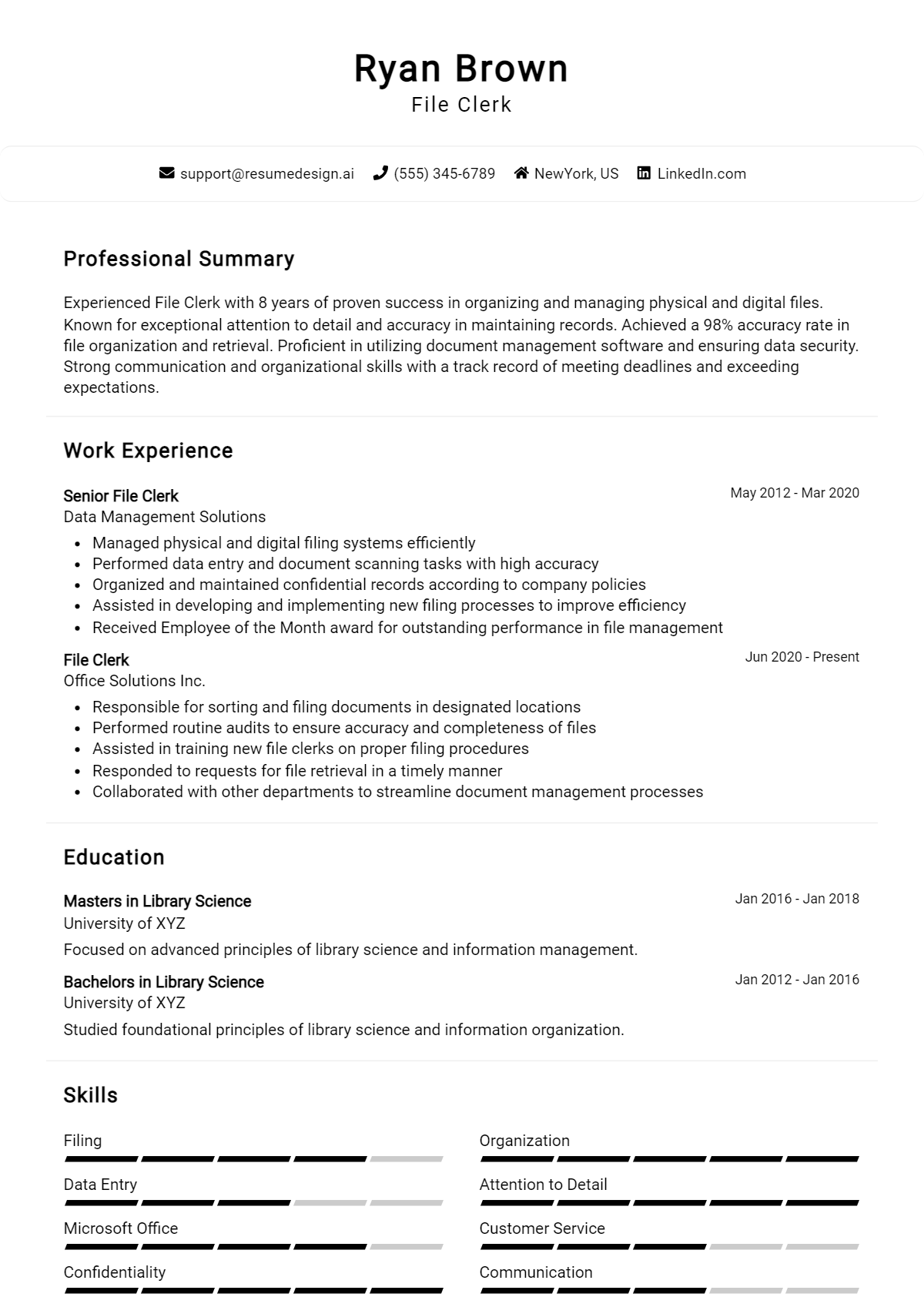
When preparing for a job interview as a File Clerk, it's essential to understand the types of questions you may be asked and how to respond effectively. Interviewers often seek to gauge your organizational skills, attention to detail, and ability to manage information efficiently, all of which are critical for success in this role. A well-prepared candidate can demonstrate their qualifications and ease any concerns the employer might have.
Here is a list of common job interview questions, with examples of the best answers tailored for the File Clerk position. These questions cover your work history and experience, what you have to offer the employer, and your goals for the future. By practicing your responses to these questions, you can showcase your skills in data management, filing systems, and customer service, ultimately positioning yourself as the ideal candidate for the job.
1. Can you describe your experience with filing systems?
I have extensive experience with both electronic and paper filing systems. In my previous role, I organized and maintained a database of over 10,000 documents, ensuring easy retrieval. I also implemented a color-coding system that improved efficiency in locating files.
Example:
In my last position, I managed both digital and physical files, which helped streamline our operations. I created an organized filing system that reduced retrieval time by 30%.
2. How do you prioritize tasks when managing multiple files?
I prioritize tasks by assessing deadlines and the urgency of requests. I use a checklist to ensure nothing is overlooked. For example, I focus on time-sensitive documents first, followed by routine filing and updates to digital records.
Example:
I often create a priority list at the beginning of the day, focusing on urgent tasks first, which helps me stay organized and efficient throughout my workday.
3. How do you handle confidential information?
I understand the importance of confidentiality and adhere strictly to company policies. I ensure that sensitive documents are kept in secure locations and only shared with authorized personnel. Regular training on privacy guidelines helps me stay informed.
Example:
In my previous job, I managed confidential files by limiting access and using secure filing cabinets, ensuring that only authorized staff could view sensitive information.
4. What software tools are you familiar with for file management?
I am proficient in Microsoft Office Suite, Google Workspace, and various document management systems like SharePoint. I regularly use these tools to create, organize, and retrieve files efficiently, which enhances productivity and collaboration.
Example:
I have used software like SharePoint and Dropbox extensively for file management, which has helped me improve collaboration and streamline access to documents.
5. Describe a time when you made a mistake in filing. How did you rectify it?
Once, I mistakenly filed a document under the wrong category. I quickly identified the error, notified my supervisor, and corrected it by re-filing the document correctly. I also reviewed the filing system to prevent similar mistakes in the future.
Example:
I once filed a document incorrectly but quickly corrected it by retracing my steps and ensuring all files were organized properly afterward, preventing future errors.
6. How do you stay organized in your work?
I maintain organization by creating a structured routine and using digital tools for task management. I also categorize documents clearly and ensure that my workspace is tidy, which helps minimize distractions and enhances overall productivity.
Example:
I use a combination of digital task lists and physical organization methods, such as color-coded folders, to keep my workspace and tasks organized efficiently.
7. What do you do if you cannot find a document that is needed urgently?
If I can’t locate a document urgently, I first conduct a thorough search in related folders. If unsuccessful, I inform my supervisor and check with colleagues. If necessary, I recreate the document from available information to ensure continuity.
Example:
In a past role, I quickly searched through digital backups and consulted with colleagues to locate a needed document, ensuring our project stayed on schedule.
8. Why do you want to work as a File Clerk?
I enjoy the organizational aspect of managing files and documents. Working as a File Clerk allows me to utilize my attention to detail, contribute to efficient office operations, and support team members in accessing important information quickly.
Example:
I want to work as a File Clerk because I thrive in organized environments and enjoy helping teams function smoothly through effective document management.
9. How do you prioritize your tasks when handling multiple files?
I prioritize tasks based on deadlines and the importance of the documents. For urgent requests, I address them first, while also allocating time for regular filing duties to maintain organization. I use a checklist to track progress and ensure nothing is overlooked.
Example:
I assess deadlines and prioritize urgent documents first. I maintain a checklist to ensure I complete regular filing tasks while managing urgent requests, keeping the workflow smooth and organized.
10. Can you describe a time you made a mistake in filing and how you rectified it?
Once, I accidentally filed a document in the wrong folder. I quickly realized the mistake and retraced my steps to locate the document. I corrected the filing and implemented a more careful double-checking process to prevent future errors.
Example:
I once filed a document incorrectly. Upon realizing the mistake, I immediately corrected it by locating the document and ensuring it was filed properly. I then started double-checking my work to avoid similar errors.
11. What filing systems are you familiar with, and which do you prefer?
I am familiar with both alphabetical and numerical filing systems. I prefer alphabetical filing for its ease of access and quick retrieval, especially in environments where documents are frequently referenced. However, I adapt to the system my employer uses.
Example:
I have experience with both alphabetical and numerical systems. I prefer alphabetical filing for its ease of access, but I’m adaptable to whatever system the organization uses for efficient document management.
12. How do you handle confidential information in your role?
I handle confidential information with the utmost care, ensuring it is stored securely and accessed only by authorized personnel. I follow company protocols for confidentiality and regularly review these practices to stay compliant with data protection laws.
Example:
I prioritize confidentiality by securely storing sensitive documents and granting access only to authorized personnel. I adhere to company protocols and regularly review data protection practices to ensure compliance.
13. Describe your experience with digital filing systems.
I have extensive experience with digital filing systems, including document management software. I am proficient in organizing, retrieving, and maintaining electronic files, and I understand the importance of regular backups and data integrity in digital environments.
Example:
I am well-versed in digital filing systems and document management software. I efficiently organize and retrieve electronic files while ensuring data integrity through regular backups and compliance with digital storage protocols.
14. How do you ensure accuracy in your filing?
To ensure accuracy in filing, I double-check every document before filing and maintain a consistent labeling system. I also periodically review files to verify their organization and accuracy, allowing me to catch any potential errors early.
Example:
I ensure accuracy by double-checking documents before filing and using a consistent labeling system. Regular reviews of files help me catch errors early, maintaining the integrity of the filing system.
15. What strategies do you use to stay organized?
I use a combination of digital tools and physical organization methods. I create a daily task list and prioritize my workload, while maintaining an organized filing system that allows for easy access and retrieval of documents when needed.
Example:
I stay organized by using digital tools for task management and maintaining a clear filing system. I create daily task lists to prioritize my workload, ensuring efficiency in managing files.
16. How do you handle a heavy workload during peak times?
During peak times, I remain calm and focused by prioritizing tasks and breaking them into manageable chunks. I communicate with my team to delegate tasks when necessary and ensure that deadlines are met without sacrificing quality.
Example:
In peak times, I prioritize tasks and break them into smaller, manageable parts. I also communicate with my team to delegate when needed, ensuring deadlines are met without compromising quality.
17. How do you prioritize your tasks when managing a large volume of files?
I prioritize tasks by assessing deadlines and the importance of each file request. I use a checklist to ensure I stay organized and focus on urgent requests first, while also setting aside time for routine filing to maintain an orderly system.
Example:
I use a priority matrix to categorize tasks by urgency and importance, which helps me tackle urgent requests first while ensuring that routine filing is consistently maintained for efficiency.
18. Describe a time when you had to handle a difficult coworker while filing documents.
I encountered a coworker who often misplaced files. I approached them directly, offering to help create a shared filing system. This improved our communication and reduced errors, fostering a better working relationship and a more organized workspace.
Example:
When a coworker struggled with filing, I suggested a joint system. By collaborating, we enhanced our filing accuracy and strengthened our professional relationship.
19. How do you ensure confidentiality when handling sensitive documents?
I adhere strictly to company policies regarding document handling and confidentiality. This includes limiting access to sensitive files, using locked storage, and ensuring that any electronic files are password protected, which helps maintain privacy and security.
Example:
I follow company protocols by securing sensitive files in locked cabinets and using encrypted digital storage to protect confidentiality.
20. What filing systems are you familiar with, and which do you prefer?
I am familiar with both alphabetical and numerical filing systems. I prefer the alphabetical system for ease of access and speed in locating files, but I can adapt to any system based on the organization's needs and preferences.
Example:
I prefer alphabetical filing for its simplicity but am comfortable using numerical systems if required by the organization.
21. Can you explain how you would handle an unexpected file audit?
In the event of an unexpected file audit, I would quickly assess the current organization of files and ensure that all documentation is up to date. I would remain calm and organized, addressing any discrepancies immediately to facilitate a smooth audit process.
Example:
I would quickly review and organize the files, addressing any discrepancies before the audit to ensure everything is in order.
22. How do you stay updated with filing best practices and technologies?
I stay updated on filing best practices by attending workshops, participating in online courses, and following industry newsletters. This continuous learning helps me implement the latest technologies and methods to improve efficiency in my filing processes.
Example:
I regularly attend workshops and subscribe to industry newsletters to keep my filing practices current and effective.
23. Describe your experience with electronic filing systems.
I have extensive experience with electronic filing systems, including document management software. I am proficient in organizing digital files, conducting backups, and ensuring easy retrieval, which enhances our team's efficiency and productivity significantly.
Example:
I have used document management software extensively, organizing and backing up digital files to ensure quick access and security.
24. How do you handle repetitive tasks in filing without losing focus?
To manage repetitive filing tasks without losing focus, I break them into smaller segments and take short breaks in between. This technique keeps me engaged and allows me to maintain a high level of accuracy and efficiency throughout the process.
Example:
I break down tasks into smaller parts and take short breaks to maintain my focus and efficiency during repetitive filing tasks.
25. How do you prioritize your tasks when handling multiple files?
I prioritize tasks by assessing deadlines and the importance of each file. I use a to-do list and categorize tasks by urgency and complexity, ensuring that I address the most critical items first, which helps maintain efficiency and accuracy.
Example:
For instance, I prioritize urgent requests for documents over routine filing, ensuring that critical files are processed promptly while managing my time effectively.
26. Can you describe a time when you had to deal with a missing file?
When I encountered a missing file, I immediately checked the filing system for errors and retraced recent access logs. I communicated with team members to gather information, resulting in locating the file quickly and implementing a better tracking system.
Example:
I once found a missing document after reviewing the logs and asking colleagues. I then suggested a digital tracking system to prevent future occurrences.
27. What strategies do you use to maintain file organization?
To maintain file organization, I implement a consistent labeling system, regularly audit files for accuracy, and establish clear categories for easy retrieval. Additionally, I ensure that all team members are trained in these practices to promote uniformity.
Example:
For instance, I set up color-coded labels and periodic reviews to ensure everything is in order, which has significantly improved retrieval times.
28. How do you handle confidential information and ensure its security?
I handle confidential information by following strict protocols, including secure storage and access controls. I ensure that files are locked away when not in use and only share information with authorized personnel, adhering to company policies and legal guidelines.
Example:
In my previous role, I kept sensitive files in a locked cabinet and used a sign-out sheet to track access, ensuring confidentiality was maintained.
29. What software or tools are you familiar with for file management?
I am proficient in various file management software, including Microsoft Excel for spreadsheet management, and document management systems like SharePoint. I utilize these tools to streamline file organization and enhance collaboration across teams.
Example:
In my last position, I used SharePoint to manage shared files, which improved our team’s collaboration and document accessibility significantly.
30. Describe a situation where you improved a filing process.
I improved the filing process by implementing a digital archiving system, reducing physical storage needs and increasing accessibility. By training the team on this new system, we enhanced efficiency in retrieving documents and managing records.
Example:
For instance, I led a project to digitize our files, which streamlined retrieval and saved space, making the team more productive.
31. How do you ensure accuracy when filing documents?
To ensure accuracy, I double-check each document before filing, cross-reference it with a checklist, and use a systematic approach to categorize files consistently. Regular audits also help maintain accuracy in the filing system.
Example:
For example, I developed a checklist for filing that I follow meticulously, which has greatly reduced errors in our filing system.
32. What would you do if you noticed a colleague filing documents incorrectly?
If I noticed a colleague filing incorrectly, I would approach them politely to discuss the issue. I would offer assistance and share best practices to help them understand the correct procedures to ensure the accuracy of our filing system.
Example:
Once, I gently pointed out a filing error to a colleague and provided guidance, leading to improved accuracy and teamwork.
33. How do you prioritize your tasks when handling multiple requests for files?
I prioritize tasks by assessing urgency and importance. I maintain a list of requests and categorize them based on deadlines and the impact on others. This method ensures that I meet expectations without compromising quality.
Example:
When faced with multiple requests, I list them and prioritize based on deadlines. For instance, I would handle urgent requests from management first before addressing standard queries.
34. Can you give an example of a time when you had to deal with a difficult coworker?
In my previous role, a coworker was often uncooperative. I approached them calmly, discussing our shared goals and the importance of teamwork. This opened the dialogue, and we improved our collaboration significantly.
Example:
I once had a coworker who resisted collaboration. I invited them for a coffee to discuss our objectives, which helped us align and work more effectively together.
35. What steps do you take to ensure the accuracy of filing documents?
I follow a systematic approach, including double-checking documents before filing and using labels and color coding for easy identification. Regular audits help maintain accuracy and organization in the filing system.
Example:
I always cross-reference documents with a checklist before filing. Additionally, I implement regular audits to ensure everything is up to date and accurately filed.
36. How do you handle confidential information while filing?
I treat confidential information with the utmost care, ensuring limited access to sensitive files. I adhere strictly to company policies regarding confidentiality and regularly train myself on best practices for handling such information.
Example:
When handling confidential documents, I ensure they are stored securely and only shared with authorized personnel, following company policy to maintain confidentiality.
37. Describe a time when you improved a filing process.
I noticed our filing system was disorganized, causing delays. I proposed a new digital filing system that categorized files by date and type, significantly improving retrieval times and reducing errors.
Example:
I revamped our filing system by introducing digital categorization, which cut down retrieval time by 30% and improved overall efficiency in our department.
38. What software or tools are you familiar with for managing files?
I am proficient in various document management systems, including Microsoft Office Suite, Google Workspace, and specialized filing software. These tools help me streamline processes and maintain organization.
Example:
I regularly use Microsoft Office and Google Drive for documentation and filing, and I am familiar with specialized software like DocuWare for enhanced file management.
39. How do you ensure compliance with company policies in your filing system?
I stay informed about the company's filing policies through training and regular updates. I ensure compliance by consistently reviewing my work against these guidelines and seeking clarification when needed.
Example:
I follow company guidelines diligently, attending training sessions and reviewing policies regularly to ensure my filing practices are compliant with all regulations.
40. What would you do if you discovered a filing error?
Upon discovering a filing error, I would immediately address it by locating the incorrect file and correcting it. I would also analyze how the error occurred to prevent future mistakes and maintain accuracy.
Example:
If I found a filing error, I would correct it promptly and investigate the cause to ensure the same mistake doesn’t happen again, reinforcing our filing process.
41. How do you prioritize your tasks when managing multiple files?
I prioritize tasks by assessing deadlines and the importance of each file request. I use a checklist to track progress and ensure timely completion. This helps me stay organized and manage my time effectively, allowing me to handle multiple tasks without compromising quality.
Example:
I create a priority list based on urgency and importance, frequently updating it. This method ensures I meet deadlines while maintaining accuracy in filing, which is essential in a fast-paced environment.
42. Can you describe a situation where you had to deal with a difficult coworker?
In a previous role, a coworker often misfiled documents, causing confusion. I approached them with empathy, discussing our shared goal of accuracy. We worked out a system to improve our collaboration, enhancing our workflow and reducing errors.
Example:
I calmly addressed the issue with my coworker, suggesting clearer communication. This led to us sharing best practices, which significantly improved our filing accuracy and teamwork.
43. What tools or software have you used for file management?
I have experience with various file management software, including Microsoft SharePoint and Google Drive. I am proficient in using spreadsheets for tracking files and ensuring easy access to important documents, which increases efficiency in my workflow.
Example:
I regularly used Microsoft Excel for tracking files and Google Drive for document storage, enabling team collaboration and easy retrieval of files when needed.
44. How do you ensure the confidentiality of sensitive documents?
I ensure confidentiality by adhering to company policies regarding document handling. I store sensitive files in locked cabinets and limit access to authorized personnel only, following best practices to maintain data security and protect client information.
Example:
I always lock confidential files in secure cabinets and maintain a log of who accesses these documents, ensuring that sensitive information remains protected at all times.
45. Describe a time when you improved a filing process.
In my previous job, I noticed that our filing system was outdated and inefficient. I proposed a digital filing system, which streamlined document retrieval. This cut our file search time in half and improved overall productivity in the office.
Example:
By implementing a digital filing system, we reduced file retrieval time significantly, leading to smoother operations and happier coworkers.
46. How do you handle repetitive tasks without losing focus?
To maintain focus on repetitive tasks, I set small goals and take short breaks. This keeps me engaged and allows me to tackle larger projects in manageable segments, ensuring accuracy and efficiency throughout the day.
Example:
I break tasks into smaller segments, rewarding myself with short breaks. This strategy helps keep my energy up and my focus sharp, even during monotonous tasks.
How Do I Prepare For A File Clerk Job Interview?
Preparing for a job interview is crucial to making a positive impression on the hiring manager. A well-prepared candidate not only demonstrates professionalism but also shows genuine interest in the position. Here are some key tips to help you get ready for your interview as a File Clerk:
- Research the company and its values to understand its culture and mission.
- Practice answering common interview questions, such as your experience with filing systems and attention to detail.
- Prepare examples that demonstrate your skills and experience relevant to the File Clerk position.
- Dress appropriately for the interview to project a professional image.
- Bring copies of your resume and any other relevant documents to share with the interviewer.
- Prepare thoughtful questions to ask the interviewer about the role and the team.
- Review basic filing procedures and terminology to showcase your knowledge during the interview.
Frequently Asked Questions (FAQ) for File Clerk Job Interview
Preparing for an interview can be a daunting task, especially when it comes to anticipating the questions that may arise. Understanding the common queries associated with the File Clerk role can help candidates feel more confident and articulate during their interview. Below are some frequently asked questions that can guide you in your preparation.
What should I bring to a File Clerk interview?
It's essential to bring a few key items to your File Clerk interview, including multiple copies of your resume, a list of references, and any certificates or relevant qualifications. Additionally, consider bringing a notebook and pen to take notes during the interview. This demonstrates your preparedness and interest in the position. If the job description mentioned specific software or tools, it may be beneficial to showcase your familiarity with those as well.
How should I prepare for technical questions in a File Clerk interview?
When preparing for technical questions, review the job description to understand the specific skills and software mentioned. Familiarize yourself with common filing systems, data entry procedures, and any relevant software applications like Microsoft Excel or document management systems. Practice articulating your understanding of these tools and how you have used them in past experiences, even if they were in different roles, to show your adaptability and competence.
How can I best present my skills if I have little experience?
If you have limited experience, focus on transferable skills that are relevant to the File Clerk position, such as attention to detail, organization, and time management. Highlight any relevant coursework, internships, or volunteer work where you utilized these skills. Additionally, consider discussing your eagerness to learn and adapt, as well as any part-time roles that may showcase your ability to handle responsibilities effectively.
What should I wear to a File Clerk interview?
Dressing professionally is crucial for making a positive first impression. For a File Clerk interview, opt for business casual attire, such as slacks and a button-up shirt or a modest dress. Aim for a polished look that conveys seriousness and respect for the interview process. Avoid overly casual clothing and ensure your outfit is comfortable, as this will help you focus on the interview rather than your attire.
How should I follow up after the interview?
Following up after an interview shows your continued interest in the position and allows you to reinforce your qualifications. Send a thank-you email within 24 hours of the interview, expressing gratitude for the opportunity and reiterating your enthusiasm for the role. If you had a conversation about specific topics during the interview, mention them briefly to personalize your message. This small gesture can leave a lasting impression on the hiring manager.
Conclusion
In conclusion, this interview guide for the File Clerk position has covered essential aspects such as preparation strategies, common technical and behavioral questions, and the importance of showcasing relevant skills. Being well-prepared not only boosts your confidence but also enhances your ability to effectively communicate your qualifications during the interview process.
By dedicating time to practice both technical and behavioral questions, candidates can significantly improve their chances of success. These preparations allow you to present your skills and experiences in a manner that aligns with the needs of potential employers.
We encourage you to leverage the tips and examples provided in this guide to approach your interviews with confidence. Remember, thorough preparation is the key to unlocking opportunities in your career journey.
For further assistance, check out these helpful resources: resume templates, resume builder, interview preparation tips, and cover letter templates.