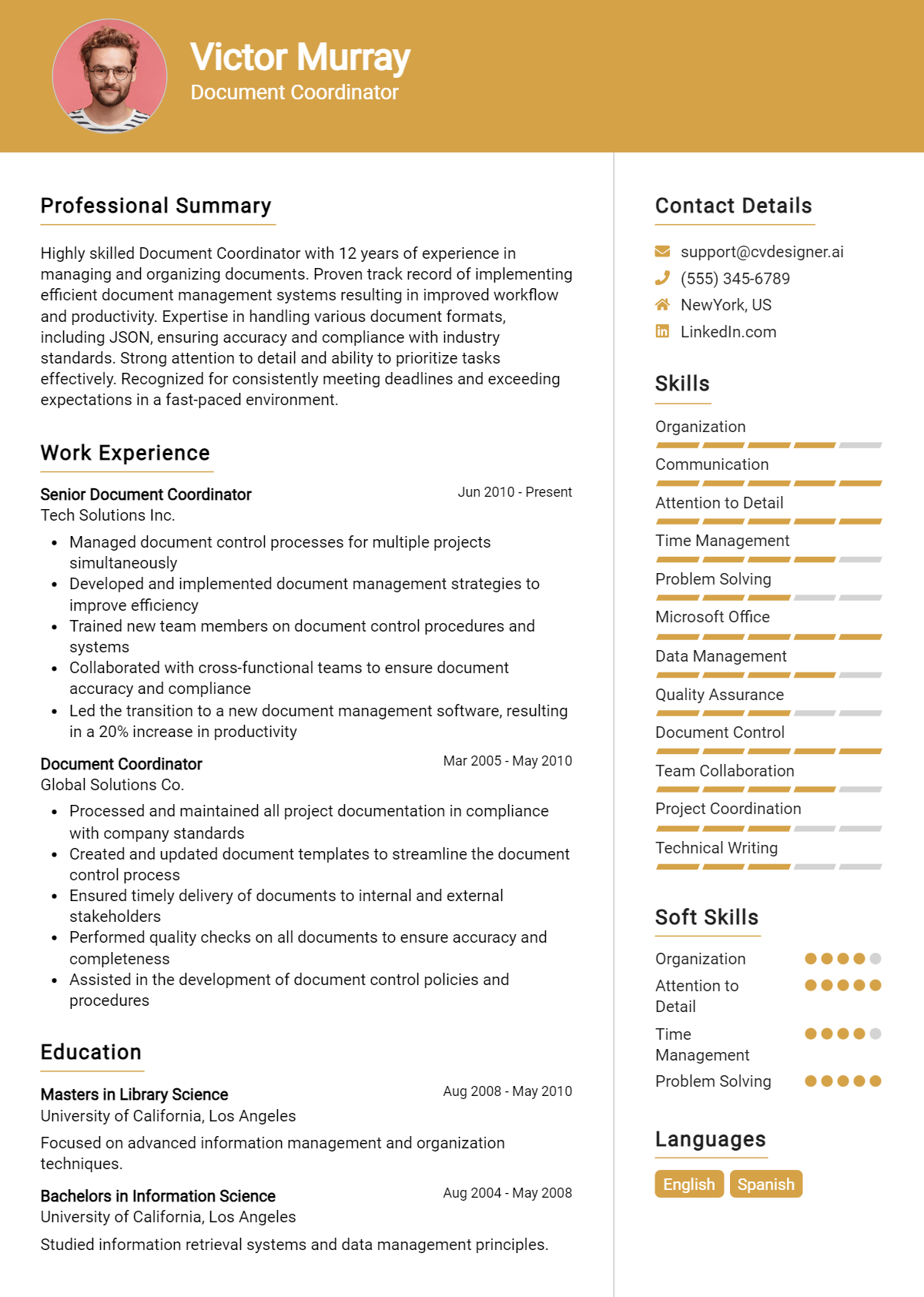
When preparing for a job interview as a Document Coordinator, it's essential to understand the types of questions you might encounter. This role often requires a blend of organizational skills, attention to detail, and the ability to manage documentation processes effectively. Anticipating these questions can help you present your qualifications confidently and demonstrate your fit for the position.
Here is a list of common job interview questions for a Document Coordinator, along with examples of the best answers. These questions cover your work history and experience, what you have to offer the employer, and your goals for the future. Being well-prepared to discuss your background in document management, your familiarity with various software tools, and your strategies for maintaining accuracy and efficiency will set you apart as a strong candidate.
1. Can you describe your experience with document management systems?
I have extensive experience using document management systems like SharePoint and DocuWare. I’ve organized, indexed, and archived documents efficiently to ensure compliance and easy retrieval. This experience has sharpened my attention to detail and improved my organizational skills.
Example:
In my previous role, I managed over 5,000 documents in SharePoint, creating a streamlined filing system that reduced retrieval time by 30%. This efficiency benefited the entire team and improved project timelines.
2. How do you prioritize your tasks when managing multiple documents?
I prioritize tasks by assessing deadlines, complexity, and stakeholder requirements. I use project management tools to keep track of progress, ensuring I meet deadlines without compromising quality. Effective prioritization minimizes bottlenecks and maximizes productivity.
Example:
When managing overlapping deadlines, I create a priority matrix, focusing on urgent tasks first while communicating with stakeholders to manage expectations. This approach helped me successfully complete a major project on time.
3. What strategies do you use to ensure document accuracy?
To ensure document accuracy, I employ a multi-step review process that includes proofreading, peer reviews, and using software tools for grammar and formatting checks. I also maintain a checklist to verify compliance with standards.
Example:
In my last position, I implemented a standardized checklist for document reviews, reducing errors by 25% and improving overall team confidence in our submissions. This strategy ensured high-quality outputs across all projects.
4. Can you give an example of a challenging document project you managed?
I managed a project involving the merger of two companies, requiring the consolidation of over 10,000 documents. I coordinated with various departments to standardize formats, ensuring compliance and seamless integration. It was a complex but rewarding experience.
Example:
During a merger, I led the document integration team, creating a centralized repository that improved access and collaboration. This project enhanced my leadership skills and taught me the importance of clear communication.
5. How do you handle confidential or sensitive information?
I handle confidential information by adhering to strict protocols, including access restrictions and secure storage solutions. I ensure that all team members are trained in confidentiality policies to protect sensitive data and maintain trust.
Example:
In my previous role, I established a secure digital vault for sensitive documents, limiting access to authorized personnel only. This practice safeguarded our clients' information and built their confidence in our services.
6. What tools do you find most useful for document coordination?
I find tools like Microsoft Office Suite and Google Workspace essential for document creation and collaboration. Additionally, tools like Trello or Asana help me manage tasks and deadlines effectively, promoting teamwork and accountability.
Example:
In my last role, I used Google Workspace for real-time collaboration and Trello for project management. This combination improved our team’s workflow, enabling timely completion of documents and submissions.
7. How do you stay organized while managing large volumes of documents?
I stay organized by implementing a structured filing system, both digital and physical, categorizing documents by type and project. Regular audits and updates help maintain order and ensure easy access to necessary materials.
Example:
I created a digital filing hierarchy with clear naming conventions and regular backups, which reduced search times significantly. This system allowed me to manage over 8,000 documents efficiently.
8. What steps do you take to ensure compliance with regulatory requirements?
To ensure compliance, I stay updated on relevant regulations and incorporate them into our document protocols. I conduct regular training sessions for the team and perform audits to identify areas for improvement and ensure adherence.
Example:
In my previous position, I led compliance training every quarter, resulting in a 20% decrease in compliance issues. This proactive approach reinforced the importance of regulatory adherence among my colleagues.
9. How do you ensure accuracy in document management?
I prioritize accuracy by implementing a thorough review process. I double-check documents against original sources and utilize software tools to catch errors. Regular training sessions for the team on best practices also contribute to maintaining high standards.
Example:
I utilize checklists and peer reviews to ensure accuracy. For instance, in my previous role, I improved our error rate by 30% through regular quality audits and team training sessions on documentation standards.
10. Can you describe a time you managed a tight deadline?
I once faced a situation where a project required documentation in just two days. I prioritized tasks, streamlined communication, and delegated effectively, allowing us to meet the deadline without compromising quality.
Example:
In my last position, I organized a last-minute project with a strict deadline. By focusing the team and coordinating efforts, we successfully submitted the documents on time, earning commendation from management.
11. What document management software are you familiar with?
I have extensive experience with software like SharePoint, DocuWare, and Google Workspace. I find these platforms facilitate collaboration and streamline document storage, retrieval, and sharing processes effectively.
Example:
I have worked extensively with SharePoint and DocuWare. In my previous role, I utilized SharePoint to enhance team collaboration, leading to a 25% increase in project efficiency.
12. How do you handle conflicting priorities?
I assess each task's urgency and impact, then communicate with stakeholders to clarify priorities. This approach helps me manage workload effectively while ensuring all necessary documents are completed on time.
Example:
When faced with conflicting priorities, I create a priority matrix. Recently, I balanced two important projects by discussing deadlines with my manager, which allowed me to allocate resources efficiently.
13. Describe your experience with version control.
I ensure effective version control by implementing clear naming conventions and utilizing software features that track changes. This practice minimizes confusion and allows team members to access the latest document versions easily.
Example:
In my last position, I set up a version control system using Google Docs. This resulted in a clearer workflow, reducing confusion by 40% regarding document updates and changes.
14. How do you keep up with industry regulations related to documentation?
I stay updated on industry regulations by subscribing to relevant publications, attending workshops, and participating in webinars. This proactive approach ensures compliance and enhances my knowledge of best practices.
Example:
I regularly read industry newsletters and attend annual compliance workshops. For example, I recently completed a course on GDPR to ensure our documentation practices meet current regulations.
15. What strategies do you use for organizing digital documents?
I employ a systematic folder structure and tagging system to organize digital documents. This allows for efficient retrieval and ensures all files are easily accessible for team members.
Example:
I created a standardized folder structure in our document management system. This system improved our document retrieval times by 50%, enhancing overall team productivity.
16. How do you manage feedback on documents?
I approach feedback with an open mindset, using it as an opportunity for improvement. I document all feedback, categorize it, and implement necessary changes while ensuring clear communication with the team for future reference.
Example:
I welcome feedback and maintain a log for tracking changes. After receiving input on a project, I revised the documents and shared the updates with the team, fostering a collaborative environment.
17. How do you prioritize multiple document requests from different departments?
I assess the urgency and importance of each request, consulting with department heads if necessary. I use a tracking system to manage deadlines and ensure timely responses, focusing on delivering high-priority documents first while keeping communication transparent.
Example:
I prioritize requests based on deadlines and departmental needs, often using a shared calendar to keep track. For instance, if the finance team needs a report urgently, I address that before less time-sensitive requests.
18. Can you describe a time when you identified an error in a document?
While reviewing a contract, I noticed discrepancies in the terms. I immediately flagged it to my supervisor and collaborated with the legal team to make corrections. This action prevented potential conflicts and showcased my attention to detail and proactive approach.
Example:
In a previous role, I found incorrect figures in a financial report. I alerted my manager, and we corrected it before distribution, thereby ensuring accurate information and maintaining our credibility with stakeholders.
19. What document management software are you familiar with?
I have experience with various document management systems, including SharePoint and DocuWare. I find these tools effective for organizing, storing, and retrieving documents efficiently, facilitating collaboration across teams while maintaining version control.
Example:
I primarily use SharePoint for document management, which allows for easy sharing and version control. My familiarity with this platform has significantly improved my team's workflow and document accessibility.
20. How do you ensure compliance with company and legal document standards?
I stay updated on legal requirements and company policies by attending training sessions and reviewing documentation regularly. I implement checklists and guidelines to ensure all documents meet compliance standards before approval and distribution.
Example:
I maintain compliance by regularly reviewing policies and using checklists to verify document accuracy. This practice ensures all documents align with legal and company standards before they are finalized.
21. How do you handle feedback or criticism regarding your documents?
I view feedback as an opportunity for growth. When receiving criticism, I listen carefully, ask clarifying questions, and make necessary adjustments. This approach helps improve the quality of my work and fosters positive working relationships.
Example:
When I received feedback about a report's format, I appreciated the input and adjusted my approach. I then implemented a standardized format for future documents, enhancing overall clarity and professionalism.
22. What steps do you take to maintain document security?
I ensure document security by implementing access controls, using encryption for sensitive files, and conducting regular audits. I also train team members on best practices for handling confidential information to minimize risks.
Example:
I prioritize document security by setting user permissions and regularly reviewing access logs. Additionally, I educate colleagues on secure handling practices to safeguard sensitive information effectively.
23. Describe a situation where you had to train others on document processes.
I led a training session on our new document management system. I prepared materials and provided hands-on demonstrations, ensuring all team members understood the processes. This initiative improved overall efficiency and empowered staff to use the system confidently.
Example:
In my last job, I conducted training for a new document tracking software. I created user-friendly guides and held Q&A sessions, significantly improving team proficiency with the new system.
24. How do you stay organized when managing a large volume of documents?
I utilize organizational tools like digital folders, tagging systems, and checklists to keep track of documents. Regularly scheduled reviews help me maintain order and ensure nothing falls through the cracks, enhancing my productivity.
Example:
I use a combination of digital folders and task management apps to stay organized. These tools help me prioritize tasks and ensure I can easily locate important documents when needed.
25. How do you ensure accuracy in document management?
I implement a systematic approach, including regular audits and document version control. Cross-referencing documents against established templates and guidelines helps maintain consistency and accuracy. I also encourage team collaboration for feedback and double-checking crucial details.
Example:
I use a checklist during document creation and regularly conduct peer reviews to catch errors. This strategy has reduced mistakes by 30% in my previous role.
26. Describe a time when you had to meet a tight deadline.
In my previous role, I faced a last-minute request for a comprehensive report. I prioritized tasks, delegated where possible, and worked extra hours to ensure timely submission without compromising quality. This experience taught me effective time management under pressure.
Example:
I coordinated with my team and focused on critical sections first, which allowed us to deliver the report 24 hours early. This impressed our stakeholders and built trust.
27. What tools or software do you prefer for document management?
I prefer using document management systems like SharePoint and Google Drive for collaboration. These tools offer version control and easy access. Additionally, I utilize Microsoft Office Suite for creating and editing documents efficiently.
Example:
Using SharePoint for our last project streamlined collaboration, allowing real-time updates and feedback, which significantly improved our workflow.
28. How do you handle sensitive or confidential documents?
I follow strict protocols for handling confidential documents, including password protection and limited access to authorized personnel. I ensure compliance with data protection regulations and regularly train my team on confidentiality best practices.
Example:
During a previous project, I implemented a secure document-sharing process, which safeguarded sensitive information and maintained client trust throughout the project.
29. Can you describe your experience with electronic filing systems?
I have extensive experience with electronic filing systems, specifically implementing and managing them for efficient document retrieval. I ensure files are organized logically, making it easier for team members to locate necessary documents quickly.
Example:
At my last job, I redesigned our electronic filing system, which reduced document retrieval time by 40%, significantly enhancing team productivity.
30. How do you prioritize multiple document requests?
I prioritize requests based on urgency and impact. I use a task management tool to track deadlines and communicate with stakeholders to understand their needs better. This allows me to allocate resources effectively and meet expectations.
Example:
For instance, I once managed three requests simultaneously by categorizing them and focusing on the one with the earliest deadline, ensuring all were completed on time.
31. What strategies do you use for effective communication with your team?
I encourage open communication through regular meetings and updates. Utilizing collaboration tools like Slack or Microsoft Teams fosters transparency. I also value feedback, which helps enhance our document processes and builds team cohesion.
Example:
By implementing weekly check-ins, I improved our team's communication flow, enabling us to address issues quickly and collaborate more effectively on projects.
32. How do you keep up with industry trends in document management?
I stay informed by subscribing to industry newsletters, participating in webinars, and attending conferences. Networking with other professionals also provides insights into best practices and emerging technologies that can enhance document management.
Example:
I recently attended a conference where I learned about AI tools in document management, which I plan to explore for improving our workflow.
33. How do you prioritize multiple document requests from different departments?
I assess the urgency and importance of each request, often communicating directly with the requesters to clarify deadlines. By creating a structured timeline and using project management tools, I can manage workloads effectively while ensuring all departments are satisfied.
Example:
I typically categorize requests by urgency and impact on projects. For instance, I prioritize a legal document needed for a meeting over less urgent materials, ensuring timely delivery without compromising quality.
34. Describe a time when you had to handle a significant error in a document.
I once discovered a critical error in a contract just before it was sent out. I promptly notified my supervisor, corrected the mistake, and implemented a double-check system to prevent future occurrences, showcasing my commitment to accuracy and accountability.
Example:
When I found an incorrect clause in a contract, I immediately alerted my team, rectified the issue, and proposed a review protocol that has since reduced similar errors by 30%.
35. What software tools are you proficient in for document management?
I am proficient in Microsoft Office Suite, Adobe Acrobat for PDF management, and document management systems like SharePoint. My experience with these tools allows me to create, edit, and organize documents efficiently while ensuring compliance with company policies.
Example:
I regularly use SharePoint for document management and collaboration, alongside Adobe Acrobat for editing PDFs, which enhances my ability to streamline workflows and maintain document integrity.
36. How do you ensure confidentiality and security of sensitive documents?
I adhere to strict company protocols regarding document handling and storage, utilizing password protection and encryption when necessary. Regular training and awareness help me stay updated on best practices for maintaining confidentiality.
Example:
I implement access controls and regularly review permissions to ensure only authorized personnel can access sensitive documents, thus maintaining the security and confidentiality required in my role.
37. Can you describe your experience with version control in documentation?
I have implemented version control protocols to track changes and updates in documents. By using tools like Google Docs or version history in SharePoint, I ensure that all team members are working on the latest version and can revert to previous ones if needed.
Example:
In my previous role, I established a version control system that allowed us to track document changes effectively, reducing confusion and ensuring everyone worked from the most current document.
38. How do you handle tight deadlines when coordinating documents for a project?
I remain calm under pressure and prioritize tasks effectively. I break down the project into manageable segments, allocating specific time slots for each document. Clear communication with my team ensures everyone is aligned and deadlines are met.
Example:
When faced with tight deadlines, I create a detailed timeline and delegate tasks to team members. This approach helps us stay organized and meet deadlines without sacrificing the quality of our work.
39. What strategies do you use to improve document workflows?
I analyze current workflows to identify bottlenecks and inefficiencies. By soliciting feedback from team members and implementing automation tools, I streamline processes, improving overall efficiency and reducing turnaround times for document handling.
Example:
I regularly review our workflows and have introduced automation for repetitive tasks, which has reduced processing time by 25% and allowed the team to focus on more complex projects.
40. How do you stay updated with industry trends related to document management?
I subscribe to industry newsletters, attend webinars, and participate in professional groups focused on document management. Continuous learning helps me stay informed about best practices and new technologies that can enhance my role as a Document Coordinator.
Example:
I actively engage in online forums and attend annual conferences to learn about the latest trends in document management, ensuring I bring innovative ideas to my job.
41. How do you ensure accuracy when managing multiple documents simultaneously?
I prioritize organization and use digital tools to track revisions. I also implement a checklist system to verify each document's accuracy before finalization. This systematic approach minimizes errors and enhances workflow efficiency.
Example:
To maintain accuracy, I utilize project management software to track documents and set reminders for reviews. Additionally, I double-check documents against established guidelines to ensure compliance and correctness.
42. Can you describe a time when you had to handle a tight deadline?
During a recent project, I encountered a last-minute request for documentation. I quickly prioritized tasks, collaborated with team members, and streamlined processes, ultimately delivering the required documents ahead of schedule without sacrificing quality.
Example:
I once had to compile a large report in two days. I organized a team meeting to delegate tasks and focused on the most critical sections first, ensuring we met the deadline successfully.
43. What strategies do you use for document version control?
I implement a standardized naming convention for file versions and utilize cloud-based storage for easy access. Additionally, I maintain a change log to document revisions, ensuring everyone has access to the latest updates.
Example:
I use a version control system that includes clear file names and timestamps. This allows team members to identify the latest documents quickly and reduces the risk of using outdated versions.
44. How do you handle confidential documents?
I ensure confidentiality by implementing strict access controls and using encrypted storage solutions. Additionally, I train team members on best practices for handling sensitive information, promoting a culture of security within the organization.
Example:
I manage confidential documents by limiting access to authorized personnel only and using password protection. I also conduct regular training on data security to reinforce the importance of confidentiality.
45. Describe how you keep up with changes in documentation technology.
I regularly attend webinars and subscribe to industry newsletters to stay informed about emerging technologies. Participating in professional organizations also helps me connect with peers and learn about best practices in documentation tools.
Example:
I follow tech blogs and participate in online forums related to document management. This keeps me updated on trends and tools, which I then evaluate for potential implementation in our processes.
46. How do you ensure compliance with industry regulations in documentation?
I stay informed about relevant regulations by attending training sessions and reviewing official guidelines. Regular audits of our documentation processes ensure compliance, and I provide ongoing training to the team on these standards.
Example:
To ensure compliance, I review regulatory updates monthly and integrate them into our documentation practices. I also hold quarterly training sessions to keep the team informed of any changes.
How Do I Prepare For A Document Coordinator Job Interview?
Preparing for a job interview is crucial to making a positive impression on the hiring manager. For a Document Coordinator position, demonstrating your organizational skills, attention to detail, and familiarity with document management systems will be key. Here are some tips to help you prepare effectively:
- Research the company and its values to understand their culture and expectations.
- Practice answering common interview questions, focusing on your experience with document management and coordination.
- Prepare examples that demonstrate your skills and experience relevant to the Document Coordinator role.
- Familiarize yourself with document management software that the company might use, such as SharePoint or DocuWare.
- Dress professionally to convey a sense of seriousness and respect for the interview process.
- Prepare thoughtful questions to ask the interviewer about the team, challenges faced, and expectations for the role.
- Review your resume and be ready to discuss your previous roles and how they relate to the Document Coordinator position.
Frequently Asked Questions (FAQ) for Document Coordinator Job Interview
Preparing for an interview can significantly enhance your chances of success, particularly when it comes to commonly asked questions. Understanding what to expect and how to respond can help you feel more confident and articulate during the interview process. Below are some frequently asked questions that candidates might encounter when applying for a Document Coordinator position.
What should I bring to a Document Coordinator interview?
When attending a Document Coordinator interview, it's essential to come prepared with several key items. Bring multiple copies of your resume, a list of references, and any relevant certifications or portfolios that showcase your work. Additionally, having a notebook and pen can be helpful for taking notes during the interview. This preparation demonstrates your professionalism and enthusiasm for the position.
How should I prepare for technical questions in a Document Coordinator interview?
To prepare for technical questions, familiarize yourself with the specific software and tools commonly used in document management, such as Microsoft Office Suite, Adobe Acrobat, and any document management systems relevant to the role. Review common scenarios that document coordinators face and think through how you would handle them. Additionally, practice articulating your thought process clearly, as interviewers often look for your problem-solving approach in technical questions.
How can I best present my skills if I have little experience?
If you have limited experience, focus on transferable skills that are relevant to the Document Coordinator role. Highlight abilities such as strong organizational skills, attention to detail, and proficiency in document management. Use examples from previous jobs, internships, or volunteer experiences to illustrate your capabilities. Emphasizing a willingness to learn and adaptability can also leave a positive impression on interviewers.
What should I wear to a Document Coordinator interview?
For a Document Coordinator interview, it's best to dress in professional attire that reflects a business environment. Opt for a conservative outfit, such as a tailored suit or a professional dress. Ensure your clothing is neat and well-fitted, as this will contribute to a positive first impression. Dressing appropriately shows that you respect the interview process and are serious about the opportunity.
How should I follow up after the interview?
Following up after an interview is a crucial step in demonstrating your continued interest in the position. Send a thank-you email within 24 hours, expressing gratitude for the opportunity to interview and reiterating your enthusiasm for the role. Personalize your message by referencing specific points discussed during the interview, which shows that you were engaged and attentive. This follow-up can help you stand out in the minds of the interviewers.
Conclusion
In summary, this interview guide for the Document Coordinator role has highlighted the essential elements of preparation, the significance of practicing responses, and the necessity of showcasing relevant skills. Understanding both the technical and behavioral aspects of the role can greatly enhance a candidate's prospects of standing out in a competitive job market.
By preparing for a diverse range of questions and scenarios, candidates can boost their confidence and demonstrate their ability to excel in the Document Coordinator position. Remember that practice leads to improvement, and familiarity with potential questions can make a significant difference.
We encourage you to leverage the tips and examples provided in this guide to approach your interviews with confidence and poise. For further assistance, check out these helpful resources: resume templates, resume builder, interview preparation tips, and cover letter templates.